
You’ve been posting consistently on Instagram. Your photos look great. Your Reels are getting views. Your follower count is climbing. But when your boss, client, or business partner asks the question that actually matters — “Is Instagram bringing us any traffic or sales?” — you need more than likes and comments to answer it.
That’s where external link taps come in.
Of all the metrics available inside Instagram Insights, external link taps are one of the most valuable — and one of the most misunderstood. They sit at the exact point where Instagram entertainment becomes real-world business results, measuring the moment someone decides your content is compelling enough to make them leave Instagram and visit your website, landing page, or online store.
If you’ve ever wondered what external link taps actually mean, where to find them, how to improve them, and why they matter far more than follower counts or even engagement rates — this is the complete guide.
1. What Are External Link Taps on Instagram?
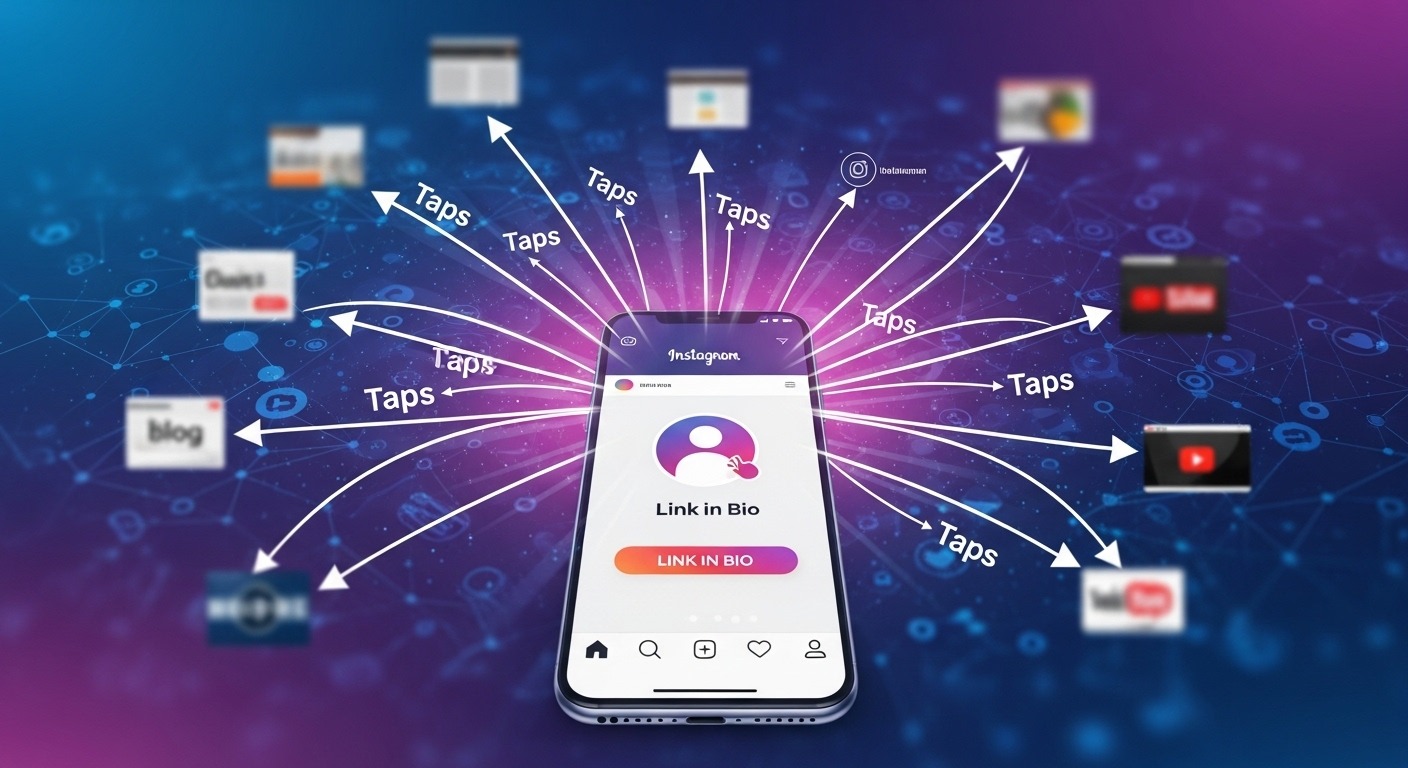
External link taps is an Instagram Insights metric that counts the number of times users tap a link on your Instagram profile or content that takes them outside the Instagram app — to a website, landing page, online store, blog post, or any other external destination.
An external link tap refers to any moment when an Instagram user intentionally clicks a link that takes them outside the app.
In the simplest possible terms: it is the count of how many times people clicked your links on Instagram.
When someone sees your Instagram post, watches your Reel, views your Story, or visits your profile — and then taps a link that opens a browser and takes them to your website — that action is recorded as one external link tap in your Instagram Insights dashboard.
Simply put, this key metric tells you how many users were interested enough in your content to leave Instagram and visit your external link — a clear sign of engagement and conversion intent.
External Link Taps vs. Other Instagram Metrics
To understand why external link taps are significant, it helps to see where they sit in the hierarchy of Instagram metrics:
| Metric Type | What It Measures | Intent Level |
|---|---|---|
| Impressions | How many times your content appeared on a screen | Passive |
| Reach | How many unique accounts saw your content | Passive |
| Likes | Who double-tapped your post | Low-Medium |
| Comments | Who engaged enough to write something | Medium |
| Saves | Who found your content valuable enough to save | High |
| Profile Visits | Who visited your profile after seeing your content | High |
| External Link Taps | Who clicked your link and left Instagram | Very High |
| Conversions (website) | Who took action after clicking (purchase, signup) | Highest |
External link taps sit near the top of this hierarchy because they represent deliberate, action-oriented engagement. Someone who taps your link is interested enough to leave Instagram. From a marketing perspective, Instagram engagement metrics like likes and comments measure interaction, but Instagram performance analytics tell you about results.
This is why external link taps are a critical metric for any business using Instagram as a marketing channel — they are the closest Instagram-native indicator of how effectively your content drives real business outcomes.
2. Types of External Link Taps on Instagram
Instagram groups several different link interactions under the broader “External Link Taps” umbrella. There are several categories under External Link Taps in Instagram Insights:
🔗 Profile Link Taps (Bio Link Taps)
External link taps is a metric that counts how many times users have clicked the link (or links, as you can add up to five) in your Instagram profile to visit an external site.
This is the most fundamental external link tap — the count of how many people clicked the URL in your Instagram bio. Whether you link directly to your website homepage, a landing page, a product page, or a Linktree/Linkin.bio page aggregating multiple links, every tap on that bio link is counted here.
The third critical metric I recommend tracking is external link taps. This metric shows how many people clicked the link in your Instagram bio after visiting your profile.
🔗 Link Sticker Taps (Instagram Stories)
Instagram Stories support Link Stickers — interactive sticker elements you can add to any Story that take users to an external URL when tapped. Previously only available to accounts with 10,000+ followers, link stickers are now available to all accounts regardless of follower count.
Each tap on a link sticker in your Instagram Stories is counted in the Link Sticker Taps metric — viewable from individual Story insights by swiping up on an active Story.
📞 Business Action Button Taps
For Instagram business accounts that have set up contact buttons, these interactions are also counted as external link taps:
- Call button taps — tapping the phone number to initiate a call
- Email button taps — tapping the email address to open an email client
- Get Directions button taps — tapping the business address to open a map application
- Text button taps — tapping to send an SMS
Profile Activity: Get insights into how users interact with your profile, such as profile visits, external link taps, business address taps, call button taps, email button taps, and text button taps.
📌 Post and Reel-Driven Bio Link Taps
While individual feed posts and Reels don’t have directly clickable links embedded in them (unlike Stories), they indirectly drive external link taps by motivating viewers to visit your profile and click the bio link. When a caption says “Link in bio” or “Tap the link in our bio,” users who follow that instruction are counted as external link taps attributed to profile activity — not to the individual post.
Wondering if that call to tap the link in your bio is working? Individual post insights on Instagram can now show you how many external link taps a post brought in. For example, if you’re promoting a new product using a brand new type of content, you can compare how this post performed against a similar post where you told people to click the link in your bio.
3. Why External Link Taps Matter
Understanding the significance of external link taps goes beyond simply knowing what they measure. Here’s why this metric deserves a prominent place in every Instagram analytics review:
They Measure Intent, Not Just Attention
Likes, views, and even comments can happen passively — a like takes one tap, and a comment can be a single emoji. External link taps require deliberate, conscious action: the user must be engaged enough with your content to decide to leave Instagram entirely, wait for their browser to load, and arrive at your external page.
Likes feel good, but they do not always mean growth. Why external link taps are important is simple. They show intent. Someone who taps your link is interested enough to leave Instagram. External link taps help you measure whether attention turns into action. If your goal is sales, signups, or blog reads, then Instagram traffic to website matters more than hearts.
They Bridge Instagram and Your Business Goals
For most businesses, Instagram is not the final destination — it’s the beginning of a conversion funnel. The goal isn’t for people to like your posts; it’s for them to visit your website, browse your products, sign up for your list, or book a consultation.
External link taps are the metric that directly measures this transition. Every external link tap represents someone moving from “Instagram browser” to “potential customer on your website.”
Brands often track Instagram conversion tracking through external link taps combined with website data. This is where Instagram engagement vs clicks becomes clear. Engagement gets attention. Clicks get outcomes.
They Are More Reliable Than Vanity Metrics
Follower counts can be inflated. Impressions can be driven by irrelevant content. Even a high engagement rate can consist of emojis from accounts that will never buy from you. External link taps, by contrast, represent genuine interest from people who were motivated enough by your content to take a concrete next step.
They Help Identify Your Best Performing Content
When you track external link taps at the post level, you can identify exactly which content types, topics, formats, and CTAs most effectively drive website traffic. This is actionable intelligence: replicate what drives taps, discontinue or rework what doesn’t.
The possibilities for learning and taking action from this new metric are endless. So be sure to give it some time and experimentation!
They Connect to Real Revenue
For eCommerce businesses, service providers, and content creators with monetized websites, external link taps are the metric most directly connected to revenue generation. More taps → more website visitors → more conversions → more revenue. The chain from Instagram content to business outcome runs through external link taps.
This is precisely why professional social media management services track and optimize external link taps as a primary KPI — not just posting consistency or follower growth.
4. How to Find External Link Taps in Instagram Insights
Accessing external link tap data requires a Professional (Business or Creator) account on Instagram. Personal accounts do not have access to Instagram Insights or this metric.
How to Switch to a Professional Account
If you’re currently on a personal account:
- Go to your Instagram profile
- Tap the menu icon (☰) in the top right corner
- Go to Settings and Privacy
- Tap Account type and tools
- Select Switch to professional account
- Follow the prompts to set up your business or creator profile
Finding Overall Account-Level External Link Taps
For your profile: Go to Profile setting → look for “Insights” → go to “views” → scroll and find “external link taps”.
Full step-by-step:
- Open the Instagram app and go to your profile
- Tap the menu (☰) in the top right corner
- Tap Insights
- Under the Overview section, tap “Accounts reached”
- Scroll down to the Profile Activity section
- Find External link taps — this shows the total count for your selected time period (7, 14, 30, or 90 days)
Finding External Link Taps for Individual Posts
To find external link tap metrics, follow these steps: Go to Insights on your profile. Choose Content. Click the feed post you want to track link taps for. Scroll down until you see the Profile activity tab. Then, find the External link taps number for your specific post below.
This post-level data tells you how many people tapped your bio link after viewing or interacting with that specific post — allowing you to directly attribute bio link traffic to individual pieces of content.
Finding External Link Taps for Stories
For stories: Open the story → swipe up → under Interactions, check Link Sticker Taps.
For Stories with link stickers:
- Open the Story (while it’s still active, or access it from your Archive)
- Swipe up (or tap the activity icon)
- Look for Link Sticker Taps under the Interactions section
Finding External Link Taps for Reels
For posts or reels: Tap View Insights to see overall performance metrics like accounts reached, content interactions, and profile visits.
While Reels themselves don’t have directly clickable links, the Insights tab shows profile visits generated by each Reel — a proxy for understanding how many viewers were motivated to visit your profile (and potentially tap your bio link).
Time Period Selection
Instagram Insights allows you to view external link tap data across four time ranges: the last 7 days, 14 days, 30 days, or 90 days. For meaningful trend analysis, reviewing the 30-day window and comparing month-over-month is the most practical approach for most businesses.
Important limitation: Instagram’s native Insights only retains data for 90 days. For longer-term historical tracking, use a third-party analytics tool (covered in Section 11) or export data regularly.
5. External Link Taps vs. Website Clicks: What’s the Difference?
One of the most common sources of confusion is the discrepancy between external link taps in Instagram Insights and the traffic numbers you see in Google Analytics. Here’s why they often don’t match:
Instagram Counts the Tap — Not the Load
Creators often ask if these taps are the same as clicks. In Instagram link taps explained, taps represent the action inside Instagram. What happens after that, such as page load or conversion, depends on your website analytics. Instagram tracks the tap within the app, which means this data may not perfectly match website analytics tools. Many people confuse Instagram analytics link taps with website clicks. Instagram tracks the tap itself, not whether the website fully loads.
This means: if someone taps your link and immediately closes the browser before the page loads, Instagram records a tap but Google Analytics records no session. This discrepancy is normal and expected.
Instagram Traffic Often Shows as “Direct” in Analytics
Google Analytics helps you avoid the common issue of Instagram traffic showing up as ‘direct,’ giving you clearer insights into audience behavior and preferences.
Instagram is a mobile-first app that uses HTTPS links. When users tap a link in the Instagram app and land on your website, the referral source is often stripped — causing the traffic to appear as “Direct” in Google Analytics rather than “Social” or “Instagram.” This is a known tracking limitation that causes Instagram traffic to be systematically underreported in analytics tools.
The solution is UTM parameters — custom tracking codes added to your links that force Google Analytics to correctly attribute the traffic source. (More on this in Section 9.)
Multiple Taps from the Same User
Multiple taps from the same user can be counted, meaning the metric does not always represent unique users.
Instagram’s external link tap count is not deduplicated — if the same person taps your bio link three times in a month, all three are counted. Google Analytics, by contrast, tracks sessions and users separately. This means Instagram’s tap count will always tend to be higher than your unique visitor count from Instagram in Google Analytics.
Summary: How to Read Both Together
| Instagram Says | Google Analytics Shows | Likely Explanation |
|---|---|---|
| 500 external link taps | 420 sessions from Social | Normal drop-off between tap and page load |
| 500 external link taps | 200 sessions from Social | Significant tap-to-load drop; check page speed |
| 500 external link taps | 800 sessions from Direct | Large volume of Instagram traffic misattributed as Direct; add UTM parameters |
6. What Is a Good Number of External Link Taps?
This is one of the most commonly searched questions about this metric — and the honest answer is: it depends entirely on your account size, niche, content strategy, and business goals.
External link tap benchmark: There’s no concrete winning number here, and how many clicks you get usually depends on your audience demographics. But, if you notice you’re not getting any traffic at all from Instagram, you might want to double-check your link and make sure it isn’t broken.
General Benchmarks by Account Size
Rather than a fixed number, external link taps are most meaningfully measured as a ratio of your total reach or profile visits:
| Account Size (Followers) | Expected Bio Link CTR | Notes |
|---|---|---|
| 1K – 10K | 1% – 5% of profile visits | Niche audiences tend to click more |
| 10K – 100K | 0.5% – 2% of profile visits | Larger audiences, more varied intent |
| 100K – 1M | 0.2% – 1% of profile visits | Broader content, lower relative CTR |
| 1M+ | 0.1% – 0.5% of profile visits | Very large audiences, mass-market content |
What “Good” Really Means
The most useful benchmark is your own historical performance — not an industry average. The right goal is:
- Trending upward month over month — consistent growth signals improving content-to-click alignment
- Correlated with content changes — if you started using a Linktree and external link taps increased, that’s actionable data
- Proportional to your goals — an account driving 50 taps per month but converting 10% of those into paying customers may be far more valuable than an account driving 500 taps with 0.1% conversion
The goal isn’t a specific number. It’s understanding what drives taps and systematically improving that ratio over time.
7. Why Your External Link Taps May Be Low
If you’re seeing very few external link taps despite consistent posting and decent engagement, these are the most common root causes:
❌ No Link in Your Bio
This sounds obvious, but many accounts — particularly new accounts or recently converted professional accounts — have no URL in their bio. Without a clickable link, there is nothing to tap. Check your bio immediately.
❌ Your Bio Link Isn’t Visible or Compelling
Even if a link exists, if your bio is cluttered and the link isn’t visually prominent or supported by a clear call to action, many visitors will scroll past it. Your bio should clearly tell people what the link leads to and why they should tap it.
❌ No CTAs in Your Content
Instagram users don’t automatically think to tap your bio link after viewing a post. If your captions and Reels don’t explicitly prompt them — “visit the link in our bio,” “tap the link in bio to get yours,” “full guide is in our bio link” — most people won’t make the connection. Every piece of content you publish should include a deliberate, specific call to action that directs users to your link.
❌ Your Content Isn’t Creating Curiosity or Urgency
Even with a CTA, if your content doesn’t make the viewer want to know more, they won’t tap. External link taps are a downstream outcome of compelling content. If your content doesn’t create curiosity, desire, or urgency, the CTA falls flat.
❌ The Bio Link Goes Somewhere Disappointing
If a user taps your bio link and lands on a generic homepage that doesn’t match the promise of your Instagram content, they’ll bounce immediately. Worse, they’ll be less likely to tap your link in the future. Your bio link destination should feel like a natural, satisfying continuation of the experience your Instagram content creates.
❌ Your Account Audience Isn’t Aligned with Your Offering
If you’ve grown a large following through entertaining content that has nothing to do with what your bio link offers, you’ll have low tap rates. The followers who liked your cooking videos don’t necessarily want to click through to your business consulting services. Audience-offering alignment is critical.
❌ Using Stories Without Link Stickers
Before link stickers were universally available, only accounts with 10,000+ followers could add links to Stories. Now any business or creator account can add link stickers to Stories — an underutilized opportunity for driving external link taps directly from Story content.
8. 10 Proven Strategies to Increase External Link Taps
1. Optimize Your Instagram Bio with a Clear, Compelling CTA
Your bio is the gateway to your external link taps. It needs to immediately communicate what your link leads to and why it’s worth tapping. Compare these two bios:
Weak: “Digital Marketing | Content Creator | Coffee Lover ☕ | macroter.com”
Strong: “We help businesses rank higher on Google 🚀 | Free SEO Audit → link below ↓”
The second bio is specific, benefit-led, and uses directional language pointing toward the link. The visitor knows exactly what they’re getting and why they should tap.
2. Use a Link-in-Bio Tool for Multiple Links
Instagram now allows up to five links in the bio, but a dedicated link-in-bio tool (Linktree, Linkin.bio, Later, Beacons) creates a mini landing page that lets you organize multiple destinations — your latest blog post, product page, lead magnet, contact page, and YouTube channel — in one branded, tappable interface. This allows you to direct different audience segments to different destinations based on what brought them to your profile.
3. Add Explicit CTAs to Every Caption
Every post caption that has a website-related goal should include a clear, specific call to action:
- “Get the free guide — link in bio”
- “See the full tutorial — tap our bio link”
- “Shop this look — link in bio”
- “Read the full case study — link in bio”
The more specific the CTA, the higher the tap rate. “Link in bio” alone is less effective than “Get our free [specific thing] — link in bio.”
4. Use Link Stickers in Every Relevant Instagram Story
Link stickers are your most direct path to external link taps — a clickable button embedded directly in the Story frame, requiring no bio visit. Use them on:
- Product demos and reveals
- Blog post promotions (“Full article — tap here”)
- Event registration Stories
- Limited-time offers
- Behind-the-scenes Stories that tease website content
Test different link sticker placements (top, bottom, left, right) and customize the sticker text (“Read More,” “Shop Now,” “Get It Free”) to see what drives the highest tap rate for your audience.
5. Create Content That Generates Curiosity Gaps
The most effective content for driving external link taps creates a specific kind of frustration: you’ve shown them something valuable or interesting, but the full picture is only available by clicking the link. This is the curiosity gap technique — used by every high-CTR headline and social media strategy since the dawn of the internet.
For Instagram: “Here are 3 of our 10 best-performing SEO tactics — all 10 are in this week’s free guide (link in bio).”
6. Match Your Link Destination to Your Content’s Promise
Every piece of content that includes a CTA should link to a page that directly delivers on that CTA’s promise. If your post says “get our free SEO checklist at the link in bio,” your bio link should go directly to the checklist download page — not your homepage, not your blog, not a general resources page. The moment there’s friction between the promise (CTA) and the delivery (landing page), tap-through rates plummet and bounce rates spike.
7. Pin a Post with a Strong CTA to Your Profile
Instagram allows you to pin up to three posts at the top of your feed. Pin a post that explicitly explains what your bio link leads to and why it’s valuable. This “link in bio” explainer post acts as a persistent welcome message for profile visitors, dramatically increasing the likelihood that new visitors understand and tap your bio link.
8. Use Instagram Reels to Drive Profile Traffic
Reels have the highest organic reach potential of any Instagram content format. A successful Reel brings massive new audiences to your profile. Structure your best Reels to end with a specific, compelling reason to visit your bio link — and ensure your bio is set up to convert that traffic into taps the moment new viewers arrive.
9. Share Time-Sensitive Links
Urgency drives action. Limited-time offers, flash sales, early access opportunities, and countdown-based promotions all create psychological pressure that pushes people from passive viewing to active tapping. “The free webinar registration closes in 48 hours — link in bio” generates more taps than “webinar registration link in bio.”
10. Analyze and Replicate Your Highest-Tap Posts
Instagram Insights allows you to see which individual posts drove the most external link taps through the Profile Activity data. Review these monthly and identify patterns: What format were they (image, carousel, Reel)? What topics? What CTA phrasing? What time did you post them? Then deliberately replicate those patterns in future content.
Effective social media management services systematize this optimization loop — continuously identifying what drives taps and building content calendars around those insights. Combined with strong SEO content writing for the landing pages your Instagram traffic lands on, the full funnel from tap to conversion is optimized end to end.
9. How to Track External Link Taps in Google Analytics
While Instagram Insights tells you how many taps happened inside Instagram, Google Analytics tells you what happened after the tap — which pages visitors viewed, how long they stayed, and whether they converted. Combining both data sources gives you the complete picture.
Step 1: Add UTM Parameters to Your Bio Link
UTM parameters are tracking codes you append to your URL that tell Google Analytics where the traffic came from. Without UTM parameters, Instagram traffic often shows as “Direct” in GA4, making it invisible in your social media reporting.
A UTM-tagged Instagram bio link looks like this:
https://yourwebsite.com/landing-page?utm_source=instagram&utm_medium=social&utm_campaign=bio_link
Use Google’s free Campaign URL Builder (google.com/analytics/utilities/url-builder) to create properly formatted UTM links without manually typing the parameters.
Recommended UTM structure for Instagram:
utm_source=instagramutm_medium=socialutm_campaign=bio_link(or the specific campaign name)utm_content=link_sticker_story(to differentiate Story link sticker traffic from bio link traffic)
Step 2: Find Instagram Traffic in GA4
You can track how many people visit your website from Instagram by using Google Analytics. Go to Reports → Acquisition → Traffic Acquisition. Then, check out the Organic Social metrics.
In Google Analytics 4:
- Go to Reports → Acquisition → Traffic Acquisition
- Change the primary dimension to Session source / medium
- Look for
instagram / socialin the table — this shows sessions properly attributed to your UTM-tagged Instagram links - For non-tagged traffic that Instagram mislabeled as Direct, filter for the Direct channel and look at landing page URLs that match your Instagram-linked pages
Step 3: Create an Instagram Traffic Segment
For deeper analysis, create a dedicated segment in GA4 filtering for all sessions where session_source contains instagram. This allows you to analyze the complete behavior of your Instagram traffic — page flow, time on site, bounce rate, and conversion events — in isolation from other traffic sources.
Step 4: Set Up Conversion Events
If your goal from Instagram is a specific action (purchase, form submission, newsletter signup, content download), set up that action as a Conversion Event in GA4. Then you can directly measure how many of your Instagram external link taps resulted in actual conversions — calculating your Instagram funnel conversion rate from tap to goal completion.
This data — Instagram external link taps → website sessions → conversions — is the most concrete ROI measurement available for Instagram marketing.
Integrating Instagram analytics with website performance data is standard practice in Macroter’s Search Engine Optimization services and content marketing services — ensuring that social traffic is properly attributed, tracked, and optimized as part of the complete digital marketing ecosystem.
10. External Link Taps for Different Business Types
Different businesses use external link taps differently — and the strategy that maximizes them varies by business model:
eCommerce Brands
For online stores, external link taps should connect directly to product pages or collection pages. The most effective approach:
- Use a link-in-bio tool to organize links by current promotions, bestsellers, and new arrivals
- Use Stories with link stickers on product reveal content and flash sale announcements
- Track which products drive the most taps and feature them more prominently in feed content
Service-Based Businesses
For consultants, agencies, coaches, and service providers, external link taps should drive to lead generation pages:
- Your bio link should point to a booking page, free consultation form, or lead magnet download
- Use Reels demonstrating expertise to drive profile visits and bio link taps
- Track which types of expertise content (case studies, tips, client results) generate the highest tap rates
Content Creators and Bloggers
For creators driving traffic to written content, YouTube, or monetized platforms:
- Update your bio link regularly to your newest content
- Use Stories to tease new content and link sticker to the full piece
- A link-in-bio tool is essential for creators with content across multiple platforms
Local Businesses
For brick-and-mortar and service-area businesses, external link taps may include “Get Directions” and “Call” button taps alongside website clicks:
- Monitor all three types of external link taps together as a combined “action intent” metric
- The “Get Directions” tap metric is particularly valuable for measuring foot traffic intent
- Use Stories for event promotion, daily specials, and limited-time offers with direct link stickers
Understanding how external link taps relate to your specific business model is what transforms a raw number into a strategic insight. Our PPC marketing services integrate Instagram traffic insights with paid campaign data to create a unified picture of how social and paid channels work together to drive conversions.
11. Tools to Track and Improve External Link Taps
Beyond Instagram’s native Insights, several tools provide deeper analysis and optimization capabilities:
Hootsuite
Hootsuite Team, Business, and Enterprise users get the added benefit of Ow.ly links, which add detailed tracking parameters to your Instagram links. Hootsuite’s analytics dashboard shows external link tap trends over time, allows comparison across time periods, and integrates Ow.ly link tracking data with broader social analytics.
NapoleonCat
Once you connect your Instagram business account, you’ll be able to see your Instagram Insights in the Analytics tab in NapoleonCat. NapoleonCat extends Instagram Insights with longer historical data windows (beyond the 90-day native limit) and custom date range selection.
Later / Linkin.bio
Later’s Linkin.bio is both a link-in-bio tool and an analytics platform. It tracks which specific links within your bio page receive the most taps, enabling you to understand which content or offers resonate most with your Instagram audience.
Sprout Social
Enterprise-grade social media management platform that includes detailed Instagram external link tap reporting, historical trend analysis, competitive benchmarking, and integration with Google Analytics for end-to-end conversion tracking.
Google Analytics 4
Free, powerful website analytics that — when properly configured with UTM parameters — shows the complete journey of your Instagram link tappers from arrival on your site to conversion (or exit). The essential complement to Instagram Insights for understanding what happens after the tap. Our website development services team configures GA4 conversion tracking as standard on all client projects to ensure this funnel data is always available.
12. Frequently Asked Questions
What does external link taps mean on Instagram? External link taps is an Instagram Insights metric that counts how many times users tapped a link on your Instagram profile or content that took them outside the Instagram app to an external website, landing page, or other online destination. It includes taps on your bio link, link stickers in Stories, and contact action buttons (Call, Email, Get Directions).
Do you need a business account to see external link taps? Yes. External link taps is only available in Instagram Insights, which requires a Professional (Business or Creator) account. Personal accounts do not have access to this metric. Switching to a professional account is free and takes under 2 minutes.
Where do I find external link taps on Instagram? Go to your Instagram profile → tap the menu (☰) → Insights → Accounts Reached → scroll to Profile Activity → External Link Taps. For individual post data, tap a post → View Insights → scroll to Profile Activity. For Stories, open the Story → swipe up → check Link Sticker Taps.
Why are my external link taps so low? The most common causes are: no link in your bio, no CTA in your post captions directing people to the link, content that doesn’t create curiosity or urgency about what’s behind the link, a bio link that goes to a generic page rather than a relevant destination, and lack of link stickers in Stories.
Is external link taps the same as website clicks? Not exactly. External link taps counts how many times a link was tapped within Instagram. Website clicks (in Google Analytics) count how many sessions actually loaded on your website after the tap. Discrepancies between the two numbers are normal — they’re caused by taps that don’t result in full page loads, Instagram traffic showing as Direct in analytics, and duplicate taps from the same user.
What is a good number of external link taps? There’s no universal benchmark — it depends on your follower count, niche, posting frequency, and business goals. More meaningful than an absolute number is the trend over time (is it growing?) and the conversion rate of tapped visits (are taps leading to business outcomes?). If you’re getting zero taps, your first priority is adding a link, adding CTAs, and checking that your link isn’t broken.
How do I increase external link taps on Instagram? Key strategies include: optimizing your bio with a clear CTA, using a link-in-bio tool to offer multiple destinations, including explicit bio link CTAs in every relevant caption, using link stickers in Stories for every piece of content with a web destination, creating content that builds curiosity and urgency, and ensuring your link destination matches what your content promised.
Can I track which posts drove the most external link taps? Yes. At the individual post level, Instagram Insights shows the Profile Activity data including external link taps attributed to that post. Go to the post → View Insights → scroll to Profile Activity → External link taps. This lets you identify which content types, topics, and CTAs most effectively drive bio link traffic.
Wrapping Up
External link taps are one of Instagram’s most honest, most business-relevant, and most actionable metrics — and yet they’re consistently overlooked by accounts that are still focused on follower counts and like counts as their primary KPIs.
Here’s the core insight to carry forward: It means action. It means your content inspired someone to leave Instagram and explore what you offer. While likes and views build visibility, external link taps build results.
Every Instagram strategy should treat external link taps as a primary performance indicator — monitoring them monthly, analyzing them at the post level to identify what drives them, and systematically testing improvements to the bio, CTAs, Story links, and landing page destinations.
The path from external link tap to converted customer runs through your website — which means the quality of that website experience matters just as much as the Instagram content that drove the tap. At Macroter, we help businesses build both sides of that equation:
- 📱 Social Media Management Services — strategy, content creation, and analytics management that systematically grows external link taps and the business outcomes behind them
- 🔍 Search Engine Optimization Services — ensuring the pages your Instagram traffic lands on are optimized to rank, convert, and retain visitors
- ✍️ SEO Content Writing Services — creating the landing page and blog content that gives Instagram visitors a reason to stay, explore, and convert
- 📣 Content Marketing Services — building the content ecosystem across social, search, and email that compounds over time
- 💰 Pay-Per-Click (PPC) Marketing Services — amplifying your Instagram-driven traffic with targeted paid campaigns that capture intent at every stage of the funnel
- 🌐 Website Development Services — building and optimizing the destination your Instagram taps lead to, ensuring every visitor has the best possible chance to convert
Published by Macroter Digital Marketing Agency — Helping businesses grow through data-driven SEO, content, and digital strategy.

I’m Md Nasir Uddin, a digital marketing consultant with over 9 years of experience helping businesses grow through strategic and data-driven marketing. As the founder of Macroter, my goal is to provide businesses with innovative solutions that lead to measurable results. Therefore, I’m passionate about staying ahead of industry trends and helping businesses thrive in the digital landscape. Let’s work together to take your marketing efforts to the next level.