
Imagine running a global e-commerce platform or a B2B SaaS giant with over 500,000 published pages. Over a decade of aggressive content marketing, automated product generation, and legacy blog campaigns, your site has ballooned to massive proportions.
To internal stakeholders, more pages equal more surface area to capture traffic. But to search engine crawlers, your site resembles a massive, unorganized warehouse filled with decades of expired inventory, duplicate product descriptions, and low-value blog posts from 2017.
Here is the hard truth of modern enterprise search engine optimization: Publishing more content no longer guarantees higher rankings.
In an era where search engines evaluate domain-wide quality and topical trust signals, low-quality, outdated, or thin pages act as an anchor, dragging down your entire domain’s authority. This phenomenon is known as content bloat.
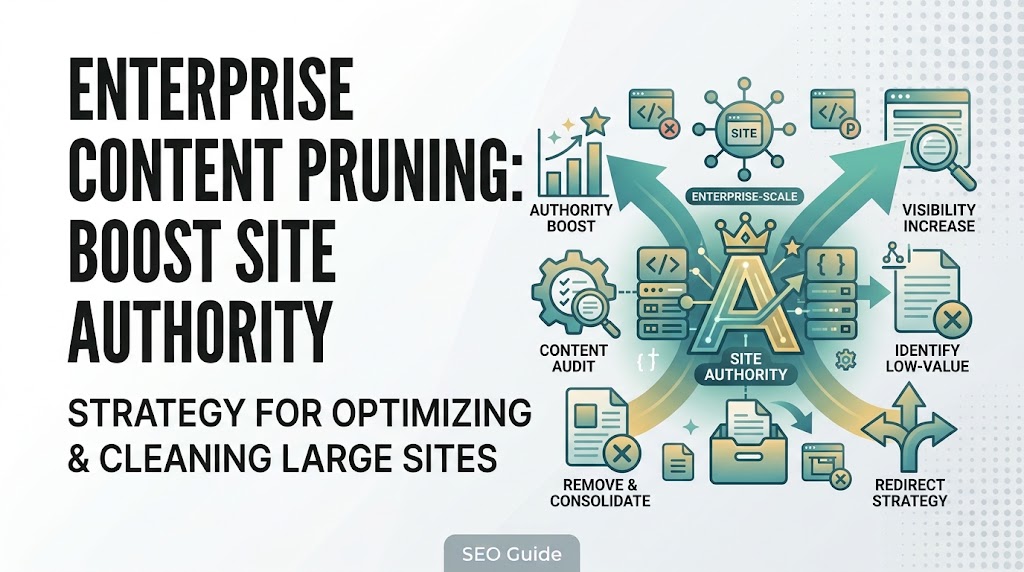
Content pruning—the strategic process of auditing, updating, consolidating, or removing underperforming and obsolete pages—is no longer a minor housekeeping task. For enterprise websites, it is a critical growth lever.
In this comprehensive guide, we will break down an actionable, enterprise-grade framework for executing a content pruning strategy that cleans up your index footprint, concentrates link equity, and revitalizes organic site authority.
The SEO Rationale: Why Content Bloat Kills Enterprise Rankings
Search engines like Google do not evaluate web pages in a vacuum. Algorithms assess domain-level quality signals to determine how trustworthy, relevant, and authoritative a website is as a whole.
When a massive percentage of your index consists of thin, unvisited, or cannibalizing pages, several negative things happen:
                  +-----------------------------------+
                  |         CONTENT BLOAT             |
                  |  (500,000+ Total Indexed URLs)    |
                  +-----------------------------------+
                                    |
          +-------------------------+-------------------------+
          |                                                   |
          v                                                   v
  [ Crawl Budget Waste ]                             [ Diluted Authority ]
  * Googlebot wastes resources                       * Link equity spread thin
    crawling dead / thin pages.                        across irrelevant URLs.
          |                                                   |
          v                                                   v
  * Slower Indexation of New Content                 * Suppressed Overall Rankings
-
Crawl Budget Depletion: Google allocates a finite amount of crawl resources (crawl budget) to your domain based on its authority and update frequency. If bots spend 80% of their time crawling low-value archives or pagination traps, your newly published, high-value assets take weeks or months to get discovered and indexed.
-
Diluted Link Equity (PageRank): External backlinks pointing to outdated or irrelevant pages distribute valuable link equity across dead ends rather than funneling authority to your core conversion-driving pages.
-
Topical Confusion & Cannibalization: When hundreds of legacy articles target overlapping semantic variations, search engines struggle to determine which page is authoritative, leading to keyword cannibalization and stagnant rankings.
Step 1: Building a Comprehensive Enterprise Content Inventory
You cannot prune what you cannot measure. Before making any deletion or consolidation decisions, you must aggregate an exhaustive data warehouse of every single URL on your domain.
Consolidating Multi-Source Data
At enterprise scale, pulling data from a single analytics platform is insufficient. You need to combine metrics across four primary silos:
-
Technical Crawler Data: Run an enterprise crawl (using Screaming Frog, Lumar, or Botify) to capture every live URL, status code, word count, internal link count, and depth score.
-
Google Search Console (GSC) Performance: Export 12 to 24 months of historical GSC data to capture organic clicks, impressions, average positions, and CTRs for every landing page.
-
Google Analytics (GA4) Engagement: Extract session counts, bounce rates, engagement times, and conversion attribution data to see how users interact with pages after landing.
-
Backlink Profiles: Export backlink metrics from tools like Ahrefs, Semrush, or Majestic to identify pages holding external link equity.
Pro Tip: Import these disparate CSV exports into a centralized SQL database or Python Pandas environment. Merging URLs with their corresponding clicks, impressions, backlinks, and word counts into a single master sheet allows you to run automated filtering rules across hundreds of thousands of pages.
Step 2: The Enterprise Content Pruning Decision Framework
Once your master content inventory is built, evaluate every URL through a strict decision framework. Every page on your domain falls into one of four operational buckets: Keep & Optimize, Consolidate & Redirect, Update & Refresh, or Prune & Remove.
+---------------------------------------------------------------------------------+
|                        CONTENT PRUNING DECISION MATRIX                          |
+---------------------+-------------------+---------------------------------------+
| Page Performance    | Backlink Profile  | Strategic Action                      |
+---------------------+-------------------+---------------------------------------+
| High Traffic / Conv | High / Authority  | Keep & Optimize (Enhance UX & Schema) |
+---------------------+-------------------+---------------------------------------+
| Low Traffic / Value | High Backlinks    | Consolidate & 301 Redirect            |
+---------------------+-------------------+---------------------------------------+
| Outdated / Relevant | Moderate / Low    | Update & Refresh (Modernize Data)     |
+---------------------+-------------------+---------------------------------------+
| Zero Traffic / Thin | Zero Backlinks    | Prune & Remove (410 Gone / 301)       |
+---------------------+-------------------+---------------------------------------+
1. Update and Refresh (The Resuscitation Play)
-
Criteria: Pages that once performed well but have experienced content decay (declining traffic over the past 12 months), feature outdated statistics, or lack modern comprehensive depth, but still hold historical backlinks or topical relevance.
-
Action: Rewrite obsolete sections, incorporate fresh industry data, expand topical coverage based on modern search intent, and upgrade internal linking paths.
2. Consolidate and Redirect (The Power Merge)
-
Criteria: Multiple pages targeting overlapping keywords, thin category variations, or fragmented blog posts discussing micro-topics that belong in a single definitive guide.
-
Action: Merge the unique value from all competing pages into one comprehensive, authoritative parent asset. Implement a 301 Permanent Redirect from the old, redundant URLs to the newly consolidated master page.
3. Prune and Remove (The Clean Cut)
-
Criteria: Low-value press releases from 2014, expired campaign landing pages, orphan pages with zero internal links, thin programmatic pages with no traffic, and automated tag archives.
-
Action: Remove the content entirely. If the URL has historical backlinks, 301-redirect it to the closest relevant category. If the URL has zero traffic, zero backlinks, and no strategic value, return a 410 Gone HTTP status code to signal to search engines that the page was intentionally and permanently removed.
Key Takeaway Box
The Backlink Rule of Thumb: Never delete a page that has external backlinks without first establishing a 301 redirect. Destroying pages with high-value inbound links means burning authority that took years to build.
Step 3: Technical Execution & Protecting Link Equity
Executing a content pruning initiative on an enterprise scale requires careful technical coordination to avoid breaking internal navigation or leaking link equity.
Handling Redirects at Scale
When pruning hundreds of thousands of low-value pages, avoid mapping every single dead URL back to your homepage. Mass homepage redirects are treated by Google as Soft 404s, completely neutralizing the intended link equity pass.
-
Granular Category Routing: Map pruned product or blog pages to their immediate parent category or closest semantic equivalent.
-
Edge-Layer Implementation: Execute large-scale redirect maps at the CDN layer (e.g., Cloudflare Workers or AWS CloudFront) to maintain high server response speeds and prevent origin server bottlenecks.
Updating Internal Linking Architecture
When you remove or consolidate pages, you inevitably create broken internal links across your site template headers, footers, and contextual content.
-
Run a post-pruning site crawl to identify any remaining internal links pointing to deleted or redirected URLs.
-
Update internal link anchors to point directly to live, authoritative target URLs, preserving clean crawl pathways for search engine bots.
Step 4: Measuring the Impact of Content Pruning
Content pruning is not a one-time event; it is a recurring enterprise maintenance cycle. To prove ROI to executive leadership, monitor these key performance indicators 60 to 90 days post-execution:
+---------------------------------------------------------------------------------+
|                        POST-PRUNING METRIC TRACKING                             |
+---------------------------------------------------------------------------------+
|  [ Crawl Efficiency ]     --> Faster Googlebot discovery & indexing rates       |
|  [ Index Bloat Reduction] --> Shrinking ratio of zero-traffic index entries     |
|  [ Average Rankings ]     --> Upward trajectory of core commercial keywords     |
|  [ Organic Impressions ]  --> Net growth in qualified search visibility         |
+---------------------------------------------------------------------------------+
-
Crawl Efficiency and Frequency: Monitor your server log files to verify that Googlebot spends less time crawling low-value archives and more time indexing high-priority revenue pages.
-
Index Bloat Reduction: Track the ratio of total indexable URLs versus URLs actually driving organic traffic in Google Search Console. A leaner, highly active index signals superior domain quality.
-
Keyword Ranking Momentum: Observe how consolidated and refreshed pages climb the SERPs as concentrated link equity takes effect.
Common Pitfalls / Mistakes to Avoid
Enterprise content pruning campaigns can backfire if executed carelessly. Avoid these common strategic errors:
+------------------------------------------+------------------------------------------------------+
| Pruning Mistake                          | Correct Enterprise Approach                          |
+------------------------------------------+------------------------------------------------------+
| Pruning based purely on low traffic      | Cross-reference traffic with backlinks & conversions |
| Forgetting to check external backlinks   | Audit backlink profiles before issuing 410s/deletions|
| Mass-redirecting dead URLs to Homepage   | Map redirects to granular, relevant category pages   |
| Failing to update internal links         | Crawl site post-pruning to fix broken internal links |
| Pruning seasonal assets prematurely      | Keep seasonal pages live year-round with updates     |
+------------------------------------------+------------------------------------------------------+
-
Pruning Based Solely on Low Traffic: A page may receive low monthly search traffic, but if it serves as a crucial conversion assist, supports a vital internal linking cluster, or targets a high-intent long-tail query, removing it can harm overall funnel performance.
-
Pruning Seasonal Landing Pages: Never delete holiday or seasonal event pages (e.g.,
/black-friday-deals) when the season ends. Keep them live year-round, update them with placeholder or evergreen messaging, and preserve their accumulated authority for the next cycle. -
Skipping Stakeholder Alignment: Content pruning often impacts internal departments (PR, legal, product marketing) who may have historical attachments to specific legacy pages. Establish a cross-functional review board before pulling the plug on major content archives.
Frequently Asked Questions (FAQ)
What is the primary benefit of content pruning for enterprise websites?
Content pruning improves overall domain authority by eliminating low-quality, thin, or duplicate pages that drag down site-wide quality signals. It optimizes crawl budgets so search engines can discover and index new content faster, and it concentrates link equity across fewer, higher-performing URLs.
How do I know if a page should be deleted versus updated?
Check the page’s backlink profile, historical performance, and topical alignment. If a page has valuable external backlinks or ranks for relevant long-tail terms, update and refresh it with modern data. If the page has zero traffic, zero backlinks, no conversions, and redundant information, it is a prime candidate for deletion or consolidation.
Should I use a 301 redirect or a 410 status code when pruning content?
Use a 301 redirect when the pruned page has valuable external backlinks or a direct semantic successor, passing its link equity to a relevant live page. Use a 410 Gone status code when the page is entirely obsolete, has zero backlinks, and has no logical alternative page to redirect users to, signaling search engines to de-index it immediately.
How often should an enterprise website conduct content audits and pruning?
Enterprise sites should run continuous quarterly content audits and execute major content pruning cycles annually or bi-annually. Because enterprise content ecosystems expand rapidly, regular maintenance prevents content bloat from accumulating.

I’m Md Nasir Uddin, a digital marketing consultant with over 9 years of experience helping businesses grow through strategic and data-driven marketing. As the founder of Macroter, my goal is to provide businesses with innovative solutions that lead to measurable results. Therefore, I’m passionate about staying ahead of industry trends and helping businesses thrive in the digital landscape. Let’s work together to take your marketing efforts to the next level.