
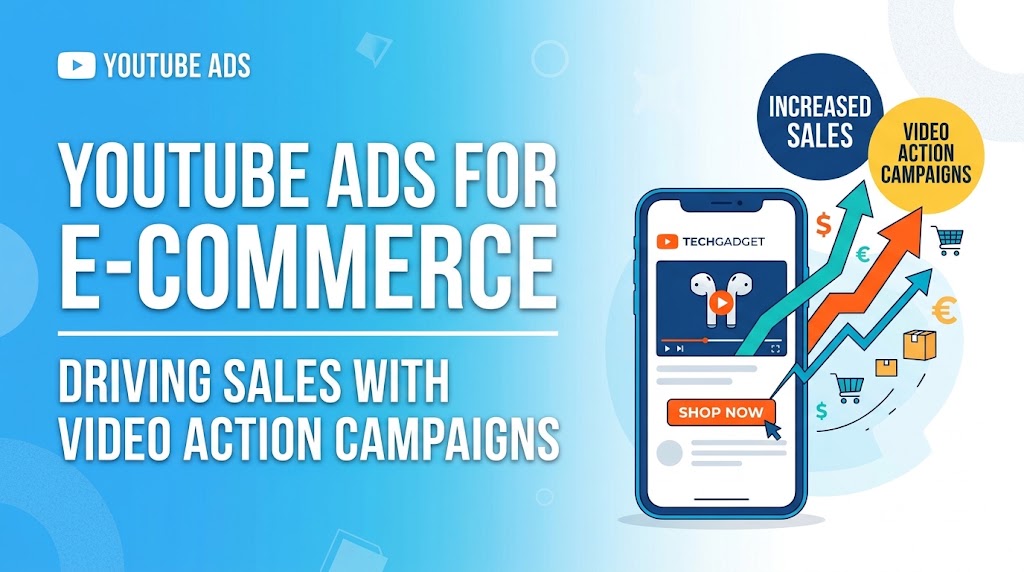
In the modern paid media landscape, e-commerce brands often face a critical bottleneck: Meta ad costs continue to fluctuate, TikTok requires endless creative volume, and traditional Google Search ads only reach customers who are already actively searching for your brand or category.
Enter YouTube Video Action Campaigns (VAC).
YouTube is no longer just a top-of-funnel brand awareness channel. With over 2 billion monthly active users and deep integration into the Google Advertising ecosystem, YouTube has evolved into one of the highest-converting performance marketing engines available to direct-to-consumer (D2C) brands.
This guide breaks down exactly how to build, scale, and optimize high-ROI YouTube Video Action Campaigns specifically designed to drive profitable e-commerce sales.
1. What Are Video Action Campaigns (VAC) and Why Do They Matter?
Google introduced Video Action Campaigns (VAC) to streamline performance video advertising. Unlike legacy YouTube formats that required separate setups for in-stream, discovery, and bumper ads, VAC automatically combines your creative assets across multiple placements using machine learning.
Key Placements for Video Action Campaigns
- YouTube Watch Page: Standard skippable and non-skippable ads before, during, or after videos on desktop, mobile, and connected TV (CTV).
- YouTube Home Feed: High-intent placement right on the mobile app home screen.
- YouTube Shorts: Vertical full-screen video ads inserted between organic short-form content.
- Google Video Partners: High-quality third-party mobile apps and websites within the Google display network.
+-----------------------------------------------------------------------+
|                     VIDEO ACTION CAMPAIGN ENGINE                      |
|                                                                       |
|  [ Video Creative ] + [ Google Product Feed ] + [ Smart Bidding ]    |
|                                  │                                    |
|                                  ▼                                    |
|       +--------------------------+--------------------------+         |
|       │                          │                          │         |
|       ▼                          ▼                          ▼         |
| [ Desktop Watch ]         [ Shorts Feed ]           [ Mobile Home ]   |
|       │                          │                          │         |
|       +--------------------------+--------------------------+         |
|                                  │                                    |
|                                  ▼                                    |
|                    [ Tracked Direct Sale / Conversion ]               |
+-----------------------------------------------------------------------+
Why VACs Outperform Standard Video Ads for E-commerce
- Shoppable Formats: VAC allows you to attach your Google Merchant Center (GMC) product feed directly to the video. As your video plays, a scrollable carousel of relevant products appears alongside or below the video.
- Cross-Device Optimization: Google’s AI targets users across desktop, tablet, mobile, and Connected TV (CTV) based on their real-time conversion probability.
- Automated Asset Mix: VAC serves your ads in both landscape ($16:9$) and vertical ($9:16$) formats, automatically matching the user’s screen orientation and viewing surface.
Key Takeaway: Video Action Campaigns turn YouTube from a passive viewing platform into an interactive, shoppable storefront by blending video storytelling with real-time product catalogs.
2. Technical Setup: The Foundation for High ROAS
Before launching a single dollar of ad spend, your tracking and product feed foundation must be bulletproof.
Step 1: Connect Google Merchant Center to YouTube
Integrating your GMC product feed turns standard video viewability into actionable e-commerce intent.
- Navigate to your Google Ads Account.
- Go to Tools & Settings > Linked Accounts.
- Locate Google Merchant Center and click Details.
- Link your primary e-commerce product feed.
- In your Video Campaign settings, toggle on Product Feed and select your main feed or specific custom labels (e.g., Best Sellers).
Pro Tip: Never run a cold traffic YouTube campaign for e-commerce without attaching a product feed. Dynamic product listings beneath a video increase click-through rates (CTR) by an average of 30% to 50%.
+-------------------------------------------------------------------+
|                        AD FORMAT ANATOMY                          |
|                                                                   |
|  +-------------------------------------------------------------+  |
|  |                                                             |  |
|  |                 Primary Video Creative                      |  |
|  |                      (16:9 or 9:16)                         |  |
|  |                                                             |  |
|  +-------------------------------------------------------------+  |
|  |  [ Product 1 ]  |  [ Product 2 ]  |  [ Product 3 ]          |  |
|  |  $49.99         |  $29.99         |  $89.99                 |  |
|  |  [ Buy Now ]    |  [ Buy Now ]    |  [ Buy Now ]            |  |
|  +-------------------------------------------------------------+  |
|                                                                   |
+-------------------------------------------------------------------+
Step 2: Set Up Enhanced Conversions
Standard pixel tracking is no longer sufficient due to browser privacy updates (Safari ITP, iOS App Tracking Transparency). Google’s Enhanced Conversions hashes first-party customer data (emails, names, phone numbers) at checkout and matches it securely against logged-in Google accounts.
- Action: Enable Enhanced Conversions in Google Tag Manager (GTM) or via your shop platform integration (Shopify, WooCommerce, Magento). This improves attribution accuracy by 10%–15%.
3. Creative Strategy: The ABCD Framework for High-Converting Video Ads
In performance media, creative is your targeting. Google’s machine learning algorithm relies on your video’s hooks and messaging to identify the right audience segments.
Google’s internal research team analyzed thousands of top-performing ads and developed the ABCD Framework:
+------------------------------------------------------------------------+
|                          THE ABCD FRAMEWORK                            |
|                                                                        |
|  [ A ] ATTENTION   ──> First 5 Seconds: Pattern Interrupt & Problem    |
|  [ B ] BRANDING    ──> Early & Frequent: Within the first 3-5 seconds  |
|  [ C ] CONNECTION  ──> Emotional Resonance & Product Solution          |
|  [ D ] DIRECTION   ──> Clear Call-to-Action & Visual Cues              |
+------------------------------------------------------------------------+
A — Attention (0–5 Seconds)
The first 5 seconds are critical. You must execute a “pattern interrupt” to stop the user from pressing the “Skip Ad” button.
- Tactics: Start in the middle of an action, ask a highly relevant problem-focused question, or show an unusual visual macro shot of your product.
- Avoid: Slow fade-ins, corporate logos with stock music, or long introductions.
B — Branding (Early & Frequent)
Introduce your brand identity naturally within the first 3 to 5 seconds.
- Tactics: Have the actor hold the physical product with visible logos, use voiceover brand mentions, or insert explicit product titles in screen overlays.
C — Connection (5–25 Seconds)
Build an emotional connection or solve a specific pain point.
- Tactics: Focus on the transformational state—show the “before” and “after”. Show real people using the product in natural lighting (User-Generated Content / UGC style).
D — Direction (Throughout & Ending)
Tell the user exactly what to do next.
- Tactics: Use explicit CTAs like “Click the link below to get 20% off your first order,” paired with visual arrows pointing down to the product feed carousel.
Comparison: Low-Performing vs. High-Performing Ads
| Element | Generic/Low ROAS YouTube Ad | High-ROI Video Action Creative |
| Intro | 5-second brand logo animation with royalty-free music | Direct problem statement with dramatic visual demonstration |
| Pacing | Slow, traditional TV commercial style | Fast cuts every 2–3 seconds; dynamic subtitles |
| Product Display | Polished studio render at the end | Real-world usage demonstrated in the first 7 seconds |
| Call to Action | Vague (“Learn More at Our Website”) | Direct offer (“Tap Below to Claim Free Shipping Today”) |
| Format Mix | Landscape only ($16:9$) | Native Landscape ($16:9$) + Vertical ($9:16$) for Shorts |
4. Audience Targeting & Campaign Architecture
To balance scale with profitability, organize your campaign architecture into three distinct funnel tiers:
+------------------------------------------------------------------------+
|                          CAMPAIGN ARCHITECTURE                         |
|                                                                        |
|  +------------------------------------------------------------------+  |
|  | TOFU (Prospecting): Custom Intent (Search Terms) + In-Market    |  |
|  +------------------------------------------------------------------+  |
|                                  │                                     |
|                                  ▼                                     |
|  +------------------------------------------------------------------+  |
|  | MOFU (Consideration): Customer Match + Competitor Audiences       |  |
|  +------------------------------------------------------------------+  |
|                                  │                                     |
|                                  ▼                                     |
|  +------------------------------------------------------------------+  |
|  | BOFU (Retargeting): Website Visitors + Cart Abandoners           |  |
|  +------------------------------------------------------------------+  |
+------------------------------------------------------------------------+
1. Top of Funnel (TOFU) — Cold Prospecting
- Custom Intent (Search-Based): Create audience segments based on keywords users actively searched for on Google.com. This is YouTube’s secret weapon: targeting users based on their Search Engine intent.
- Example: Input your top 10–20 high-converting Google Search keywords into a Custom Intent segment.
- In-Market Audiences: Select pre-built Google audiences actively researching products in your category (e.g., “In-Market for Men’s Running Shoes”).
2. Middle of Funnel (MOFU) — High Intent
- Competitor URL & Keyword Targeting: Build custom segments based on users visiting competitor websites or searching for competitor brand terms.
- Customer Match (Lookalikes): Upload your high-value customer email list and let Google build predictive broad-audience models based on high Lifetime Value (LTV) purchasers.
3. Bottom of Funnel (BOFU) — Retargeting
- Direct Engagement Rules: Target users who watched your YouTube videos in the last 30–90 days, visited product pages, or abandoned carts.
Pro Tip: Keep your campaign structures clean. Do not mix cold audience segments with retargeting segments inside the same ad group. This ensures proper budget control and accurate performance attribution.
5. Smart Bidding & Optimization Strategies
Video Action Campaigns rely heavily on Google’s machine learning algorithms. Choosing the right bidding strategy depends on your campaign maturity and historical data volume.
Choosing Your Bidding Strategy
                          ┌──────────────────────────┐
                          │   Is your account new    │
                          │ with <30 conversions/mo? │
                          └────────────┬─────────────┘
                                       │
                      ┌────────────────┴────────────────┐
                      │                                 │
                     YES                                NO
                      │                                 │
                      ▼                                 ▼
         ┌─────────────────────────┐       ┌─────────────────────────┐
         │ Use Maximize Conversions│       │   Use Target CPA (tCPA) │
         │   (Gather Baseline Data)│       │    or Target ROAS (tROAS)│
         └─────────────────────────┘       └─────────────────────────┘
- Maximize Conversions (Initial Phase):
- When to use: Launching a new account or campaign with limited conversion history.
- Goal: Allows Google to spend the daily budget to capture as many conversions as possible while gathering baseline data.
- Target CPA (tCPA – Growth Phase):
- When to use: Once your campaign records at least 30 to 50 conversions in 30 days.
- Calculation: Set your initial tCPA $15–20\%$ higher than your average historic CPA to give the algorithm room to explore before bidding down.
- Target ROAS (tROAS – Scaling Phase):
- When to use: Once dynamic transaction value tracking is fully stable and your campaign generates consistent sales volume.
6. Common Pitfalls to Avoid
Even experienced media buyers make critical errors when launching YouTube ads for e-commerce. Avoid these common traps:
- Re-using Meta or TV Ads Without Editing:
Square ($1:1$) or slow-paced TV commercials underperform on YouTube. Always edit creatives specifically for YouTube using the ABCD structure, featuring clear visual callouts and dedicated landscape ($16:9$) or vertical ($9:16$) aspect ratios.
- Starving the Algorithm (Low Budgets):
Setting a daily budget that is too low prevents Google’s smart bidding from finding optimal prospects.
Rule of thumb: Set your daily campaign budget to at least $3\times \text{to } 5\times$ your target Cost Per Acquisition (CPA).
- Neglecting Account-Level Exclusions:
To avoid wasting spend on low-quality mobile app clicks or non-converting content, apply negative content exclusions:
- Exclude YouTube Kids channels.
- Exclude embedded website placements that trigger accidental clicks.
- Exclude low-converting geographic regions or non-target language audiences.
7. Frequently Asked Questions (FAQ)
What is a good ROAS for YouTube Ads in e-commerce?
A healthy blended Return on Ad Spend (ROAS) for cold traffic YouTube Ads typically ranges between $1.5\times \text{ and } 2.5\times$, while retargeting campaigns can achieve $3.5\times \text{ to } 5.0\times+$. Performance varies based on average order value (AOV) and gross margins.
How much budget do I need to test YouTube Video Action Campaigns?
A recommended starting budget is $50 to $100 per day per campaign for at least 14 days. This provides sufficient budget depth ($700–$1,400 total) for Google’s machine learning algorithm to exit the initial learning phase and stabilize CPA metrics.
What is the ideal video ad length for Video Action Campaigns?
The ideal video length for conversion-focused YouTube Ads is 30 to 60 seconds. This duration provides enough time to capture attention, explain the value proposition, demonstrate the product, and present a clear call to action without losing viewer engagement.
Should I include YouTube Shorts in my Video Action Campaigns?
Yes. YouTube Shorts generates tens of billions of daily views. Including vertical videos ($9:16$) alongside standard landscape assets ($16:9$) inside the same Video Action Campaign allows the system to deliver lower CPMs and reach high-intent mobile users across all viewing surfaces.
Conclusion & Actionable Next Steps
YouTube Video Action Campaigns represent one of the most scalable performance marketing channels for e-commerce brands looking to expand beyond Meta and Google Search. By combining strategic video storytelling (ABCD framework), precise custom intent audience targeting, and automated product feeds, you turn passive viewers into active customers.

I’m Md Nasir Uddin, a digital marketing consultant with over 9 years of experience helping businesses grow through strategic and data-driven marketing. As the founder of Macroter, my goal is to provide businesses with innovative solutions that lead to measurable results. Therefore, I’m passionate about staying ahead of industry trends and helping businesses thrive in the digital landscape. Let’s work together to take your marketing efforts to the next level.