
Imagine a soccer team where eleven players work together to move the ball down the field. A midfielder intercepts a pass, sends a brilliant through-ball to the winger, who crosses it into the box, where the striker taps it into the net.
When the match ends, the scoreboard only lists the striker’s name. If you were the team’s general manager and decided to cut the midfielder and the winger because they didn’t score any goals, your team would never win another game.
Yet, this is exact mistake thousands of media buyers and performance marketers make every single day inside their ad accounts.
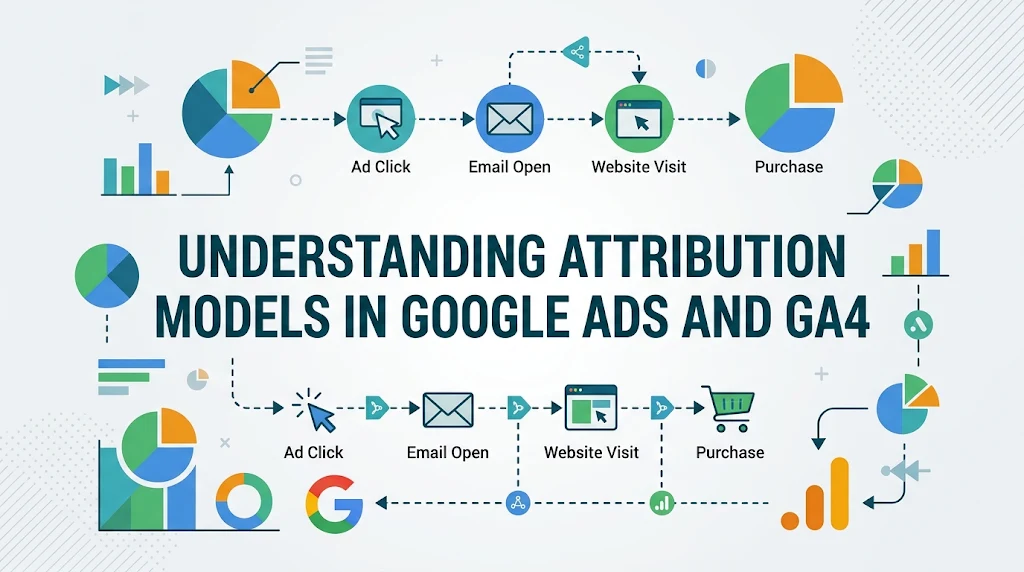
When a customer buys from your brand, they rarely click a single ad and convert immediately. They might discover you through a YouTube bumper ad, research your product via a broad-match Google Search campaign, read a blog post from organic search, click a retargeting ad on Instagram, and finally type your brand name into Google to complete the purchase.
Attribution modeling is the rulebook that decides which players on your marketing roster get credit for that goal.
With Google’s permanent sunsetting of legacy rule-based models (like First-Click, Linear, Time Decay, and Position-Based) and the full transition to Google Analytics 4 (GA4) and Data-Driven Attribution (DDA), the rules of the game have fundamentally changed. If you don’t understand how credit is distributed across your conversion paths, you will inevitably starve your top-of-funnel growth engines while over-investing in branded search campaigns that merely capture existing demand.
In this comprehensive guide, we will break down everything you need to know about attribution models in Google Ads and GA4. You will learn how modern algorithmic attribution works, why your Google Ads and GA4 conversion numbers rarely match, and how to leverage attribution data to maximize your Return on Ad Spend (ROAS).
What Is Marketing Attribution and Why Does It Matter Now?
At its core, marketing attribution is the analytical framework used to assign conversion credit to specific touchpoints along a customer’s path to purchase. Whether a conversion is an e-commerce checkout, a B2B demo request, or a phone call, an attribution model determines whether 100% of that value goes to a single interaction or gets divided among multiple touchpoints.
The Evolution of the Modern Buyer’s Journey
In the early days of pay-per-click (PPC) advertising, customer journeys were relatively linear. A user searched a keyword, clicked a text ad, and converted. Last-Click attribution—giving 100% of the credit to the final touchpoint before conversion—was the undisputed industry standard because it was easy to measure and largely accurate.
Today, the digital landscape is fragmented across devices, platforms, and privacy restrictions:
-
Multi-device behavior: A consumer sees an ad on their smartphone during their morning commute, researches reviews on a work laptop at lunch, and buys on a tablet at night.
-
Privacy regulations and signal loss: With the deprecation of third-party cookies, Apple’s App Tracking Transparency (ATT), and stricter GDPR/CCPA enforcement, deterministic cross-site tracking has eroded.
-
Complex media mixes: High-ROI media buying now requires blending demand generation (YouTube, Demand Gen, Meta, TikTok) with demand capture (Google Search, Google Shopping, Performance Max).
Key Takeaway: Relying on outdated attribution logic in a multi-touch world creates a dangerous blind spot. When you only reward the final click, you systematically undervalue the awareness and consideration campaigns that feed your sales funnel.
The Current Landscape: Attribution Models in Google Ads vs. GA4
Over the past few years, Google simplified its attribution ecosystem. To prevent marketers from relying on arbitrary, static formulas that ignore user behavior, Google deprecated First-Click, Linear, Time Decay, and Position-Based attribution models in both Google Ads and GA4.
Currently, both platforms rely primarily on two core attribution methodologies, though GA4 offers one additional reporting lens.
1. Data-Driven Attribution (DDA) — The Default Standard
Data-Driven Attribution (DDA) is now the default model for almost all conversion actions in both Google Ads and GA4. Unlike rule-based models that apply a rigid formula (e.g., “give 40% to the first click and 40% to the last click”), DDA uses machine learning to evaluate both converting and non-converting user paths.
By analyzing millions of data points—including time between interactions, device type, number of ad interactions, order of ad exposure, and creative assets—Google’s algorithms calculate the actual incremental impact of each touchpoint.
-
How it works: Using counterfactual modeling (rooted in cooperative game theory concepts like Shapley values), DDA compares the conversion probability of users who interacted with specific touchpoints against users who did not. If adding a specific YouTube view or generic search click increases conversion probability by 18%, that touchpoint receives proportional fractional credit.
-
Best for: Virtually all advertisers. It requires no minimum conversion threshold to activate anymore, as Google uses aggregated industry data to supplement accounts with lower conversion volumes.
2. Last-Click Attribution (Paid & Organic vs. Google Paid Channels)
While DDA is the default, Last-Click attribution remains available as a baseline comparison tool. However, Google distinguishes between two variations of Last-Click depending on where you are looking:
-
Cross-Channel Last-Click (GA4): Assigns 100% of the conversion credit to the very last channel the user clicked before converting—whether that was Paid Search, Organic Search, Email, Direct, or Social. (Note: GA4 ignores “Direct” traffic if the user previously arrived via a known marketing channel within the lookback window, a system known as Last Non-Direct Click).
-
Google Paid Channels Last-Click (GA4 & Google Ads): Assigns 100% of the conversion credit to the last Google Ads interaction, even if the user subsequently clicked an organic link or email before purchasing. Inside Google Ads itself, selecting “Last Click” natively operates on a Google-paid-channels basis because Google Ads only tracks its own ecosystem.
3. Ads-Preferred Last-Click (GA4 Exclusive)
In GA4’s attribution settings, you may encounter Ads-Preferred Last-Click. This model attributes 100% of the conversion value to the last Google Ads channel clicked, regardless of whether there was a non-Google channel click (like Organic Search or Email) between the ad click and the conversion. If there is no Google Ads click in the path, it falls back to Cross-Channel Last-Click.
Deep Dive: How Data-Driven Attribution Actually Works
To trust an algorithm with your ad budget, you need to understand what happens under the hood. Many media buyers treat DDA like a “black box,” which leads to hesitation when shifting budgets toward top-of-funnel campaigns.
Step-by-Step Mechanics of DDA
-
Path Collection: Google gathers all recorded touchpoints (impressions, engaged views, and clicks) leading up to a conversion, as well as paths that ended without a conversion.
-
Pattern Recognition: The machine learning model identifies sequences that consistently yield higher conversion rates. For example, it might notice that users who click a Non-Brand Search ad and then click a Brand Search ad convert at 9%, whereas users who only click a Brand Search ad convert at 4%.
-
Incremental Weighting: The algorithm isolates the exact lift provided by each step. Instead of giving 100% of the credit to the Brand Search ad (as Last-Click would), DDA might award 65% of the credit to the Non-Brand Search ad and 35% to the Brand Search ad.
-
Continuous Adaptation: As your seasonal promotions, landing pages, and audience behaviors shift, DDA continuously recalculates credit weights without manual intervention.
Real-World Example: The $200 Running Shoe Journey
Let’s trace a single customer, Sarah, buying a $200 pair of running shoes from an online athletic retailer:
-
Day 1: Sarah watches a 15-second YouTube in-stream ad for the brand’s new carbon-plated shoe. (Engaged View)
-
Day 4: Sarah searches Google for
"best marathon running shoes 2026"and clicks a generic Non-Brand Search ad. She browses the product page and leaves. (Click 1) -
Day 7: Sarah sees a dynamic retargeting banner via a Performance Max campaign while reading a running blog and clicks it. (Click 2)
-
Day 10: Ready to buy, Sarah searches
"BrandName carbon running shoes", clicks the Brand Search ad, and buys the shoes for $200. (Click 3)
How Credit Is Distributed:
| Attribution Model | YouTube Engaged View | Non-Brand Search Ad | Performance Max Retargeting | Brand Search Ad |
| Last-Click (Google Ads) | $0 (0%) | $0 (0%) | $0 (0%) | $200 (100%) |
| Data-Driven Attribution | $24 (12%) | $86 (43%) | $50 (25%) | $40 (20%) |
Look at what happens to your media buying decisions under each model:
-
Under Last-Click: Your Non-Brand Search campaign looks unprofitable ($0 revenue). You pause it. Two weeks later, your Brand Search conversions collapse because nobody is discovering your shoes anymore.
-
Under DDA: Google Ads sees that Non-Brand Search drove $86 in fractional conversion value. Smart Bidding (Target ROAS) recognizes the campaign’s true profitability and bids aggressively to capture more high-intent marathon runners.
Pro Tip: Because Smart Bidding algorithms (Target CPA and Target ROAS) optimize directly toward the conversion values reported by your selected attribution model, switching from Last-Click to Data-Driven Attribution directly upgrades how Google’s bidding AI allocates your daily budget.
Why Google Ads and GA4 Report Different Conversion Numbers
One of the biggest frustrations for PPC managers and clients alike is opening Google Ads and GA4 side-by-side and seeing completely different conversion numbers—even when both are set to Data-Driven Attribution.
This discrepancy does not mean your tracking is broken. It happens because Google Ads and GA4 are built on fundamentally different attribution scopes and reporting philosophies.
1. Channel Scope: Walled Garden vs. Cross-Channel
-
Google Ads operates inside a closed ecosystem. It only sees Google touchpoints (Search, Shopping, YouTube, Display, Discover, Gmail). If a user clicks a Google Ad on Monday, clicks a Meta ad on Wednesday, and buys via an Email newsletter on Friday, Google Ads claims 100% of that conversion because it was the last Google touchpoint in the journey.
-
GA4 is a holistic, cross-channel analytics platform. It sees Google Ads, Meta, Organic Search, Email, Referral, and Direct traffic. In that exact same journey, GA4’s Data-Driven Attribution will split the credit between Google Ads, Meta, and Email—meaning Google Ads might only get 0.35 conversions in GA4 instead of 1.0 conversion in the Google Ads UI.
2. Conversion Date vs. Interaction Date
This timing difference causes massive confusion when pulling weekly or monthly reports:
-
Google Ads reports conversions by the date of the ad click. If a user clicked your ad on January 28 and converted on February 3, Google Ads credits that conversion to January 28.
-
GA4 reports conversions by the date the conversion occurred. That exact same sale appears in GA4 on February 3.
3. View-Through Conversions (VTCs) and Engaged-View Conversions (EVCs)
-
Google Ads tracks View-Through Conversions (a user sees a Display/Performance Max banner without clicking, then converts later) and Engaged-View Conversions (a user watches at least 10 seconds of a skippable YouTube ad without clicking, then converts within the lookback window). While VTCs are usually kept in a separate column, EVCs are often folded into main conversion reporting for video-heavy campaigns.
-
GA4 primarily tracks click-based sessions (though Google has introduced limited Engaged-View YouTube tracking for linked accounts, standard GA4 cross-channel attribution remains heavily click-centric).
4. Attribution Lookback Windows
A lookback window defines how far back in time a touchpoint can occur and still receive credit for a conversion.
-
Google Ads allows lookback windows up to 90 days for click-through conversions (30 days is the default).
-
GA4 defaults to a 90-day lookback window for all other key events (conversions), and 30 days for acquisition events (
first_open/first_visit). If your Google Ads conversion action is set to a 30-day window while GA4 is set to 90 days, a conversion happening on day 45 will appear in GA4 but not in Google Ads.
Summary Comparison: Google Ads vs. GA4 Attribution
| Feature / Metric | Google Ads Attribution | GA4 Attribution |
| Ecosystem Scope | Google Ads channels only | All marketing channels (Paid, Organic, Email, Social) |
| Reporting Timestamp | Date of the ad interaction (click) | Date of the actual conversion event |
| Default Model | Data-Driven Attribution (Google-only) | Data-Driven Attribution (Cross-channel) |
| View-Through Tracking | Native (VTCs & Engaged Views) | Minimal (primarily click-based) |
| Primary Purpose | Ad bidding optimization & platform ROAS | Holistic business intelligence & budget allocation |
How to Configure and Audit Your Attribution Settings
To get clean, actionable data, you must align your settings across both platforms. Follow this step-by-step audit checklist to ensure your attribution setup is airtight.
Step 1: Audit Google Ads Conversion Attribution
-
Log into your Google Ads account and navigate to Goals > Conversions > Summary.
-
Click on your primary conversion action (e.g., Purchase or Submit Lead Form).
-
Click Edit settings and review the following three fields:
-
Attribution model: Ensure this is set to Data-driven.
-
Click-through conversion window: Match this to your actual sales cycle. For impulse e-commerce products under $100, 30 days is ideal. For high-ticket B2B software or luxury goods, expand this to 60 or 90 days.
-
Engaged-view conversion window: Keep at the default 3 days unless you run heavy YouTube awareness campaigns with longer consideration cycles.
-
Step 2: Configure GA4 Attribution Settings
-
Open Google Analytics 4 and click Admin (gear icon in the bottom-left).
-
Under Data display, select Attribution settings.
-
Verify your Reporting attribution model is set to Data-driven.
-
Check Channels that can receive credit: Ensure Paid and organic channels is selected so you can evaluate Google Ads alongside SEO and Email fairly.
-
Align your Key event lookback window: Match the 30-day or 90-day setting with what you configured in Google Ads so you aren’t comparing apples to oranges.
Step 3: Implement Enhanced Conversions and Consent Mode v2
Data-Driven Attribution relies on observing complete user journeys. When browser privacy restrictions break cookie tracking between a user’s first click and final conversion, DDA loses visibility and defaults back toward last-click behavior.
To protect your attribution accuracy:
-
Enable Enhanced Conversions in Google Ads: This securely hashes first-party customer data (email address, phone number, home address) collected on your conversion page and matches it back to signed-in Google accounts.
-
Implement Consent Mode v2: If you serve traffic in the EEA/UK (or globally for future-proofing), Consent Mode v2 allows Google to use conversion modeling to recover unconsented conversion paths statistically, preventing huge gaps in your DDA models.
Pro Tip: Always use native Google Ads conversion tracking (via Google Tag Manager) as your Primary bidding conversion in Google Ads, rather than importing GA4 conversions for bidding. Native Google Ads tags capture Engaged-View conversions, cross-device logged-in signals, and faster real-time data—giving Smart Bidding a massive performance edge. Use GA4 conversions as Secondary (observation-only) or for executive cross-channel reporting.
How to Use Attribution Reports to Make Smarter Media Buying Decisions
Collecting attribution data is useless unless it changes how you deploy capital. Both Google Ads and GA4 feature built-in Attribution Comparison and Conversion Paths reports designed to uncover hidden profit centers.
Using the Model Comparison Tool in GA4
Navigate to Advertising > Attribution > Attribution models in GA4. Here, you can place Cross-channel Last-Click side-by-side against Cross-channel Data-Driven.
Look at the % Change column to spot two critical patterns:
-
The “Assist” Heroes (Positive % Change under DDA): If Paid Search (Generic), Display, or Paid Social shows +25% to +60% more conversions under Data-Driven than Last-Click, those campaigns are your primary demand generators. They are initiating journeys that close elsewhere. Action: Increase budgets or loosen target CPA/ROAS constraints on these campaigns.
-
The “Closers” (Negative % Change under DDA): If Branded Paid Search, Direct, or Email shows -20% to -40% fewer conversions under Data-Driven than Last-Click, those channels are capturing demand created upstream. Action: Do not scale Brand Search budgets endlessly based on inflated Last-Click ROAS; cap brand spend at impression share targets and reinvest surplus cash into your Assist Heroes.
Analyzing Conversion Paths for Funnel Bottlenecks
Navigate to Advertising > Attribution > Conversion paths in GA4 (or Goals > Measurement > Attribution in Google Ads). This report visualizes Early Touchpoints, Mid Touchpoints, and Late Touchpoints.
-
Identify your ideal sequence: You might discover that users who enter via Organic Search -> Paid Search -> Email have a 3x higher Average Order Value (AOV) than users who convert on a single click.
-
Measure Days to Conversion & Touchpoints to Conversion: If your average conversion takes 14 days and 4.5 touchpoints, stop judging new prospecting campaigns after 48 hours! Give new campaigns at least 1.5x to 2x your average conversion lag before making kill-or-scale decisions.
5 Common Attribution Pitfalls (and How to Avoid Them)
Even seasoned media buyers fall into analytical traps when interpreting attribution reports. Watch out for these five frequent mistakes:
1. Comparing Partial Date Ranges Without Accounting for Conversion Lag
If you pull performance data for “Yesterday” or “Last 7 Days,” your recent campaigns will always look artificially weak. Because Google Ads attributes conversions back to the click date, conversions from clicks that happened yesterday haven’t occurred yet.
-
The Fix: Always exclude the most recent 3–7 days (depending on your conversion lag) when evaluating campaign ROAS, or check the Conversion delay metric in Google Ads.
2. Mixing Brand and Non-Brand Keywords in the Same Campaign
If you lump your brand name keywords ("Acme Shoes") into the same campaign as generic category keywords ("buy running shoes"), DDA will blend their performance. The high conversion rate of your brand terms will mask poor performance on generic terms, tricking Smart Bidding into overspending on low-quality generic traffic.
-
The Fix: Always isolate Brand Search into its own dedicated campaign with strict exact/phrase match controls and tailored ROAS targets.
3. Counting Micro-Conversions as “Primary” Bidding Goals
If you set Page Views, Add to Cart, or Time on Site as Primary conversion actions alongside Purchases, Data-Driven Attribution and Smart Bidding will optimize for cheap window-shoppers rather than actual buyers.
-
The Fix: Set low-intent engagement metrics to Secondary (Observation) so they appear in your reports without polluting bidding algorithms or attribution credit.
4. Expecting Google Ads, GA4, Meta Ads, and Your CRM to Add Up to 100%
If you add up the conversions claimed by Google Ads (60), Meta Ads (50), and Email (30), you might get 140 conversions—even though Shopify only recorded 100 orders. Each ad platform takes full credit if it touched the customer anywhere in their journey.
-
The Fix: Use platform-specific attribution (Google Ads DDA) for intra-platform bidding and campaign optimization, and use GA4 Cross-Channel DDA (or a dedicated Media Mix Model) for high-level budget allocation across platforms.
5. Ignoring UTM Parameter Hygiene
GA4 relies heavily on clean UTM parameters (utm_source, utm_medium, utm_campaign) to classify non-Google traffic accurately. If your email newsletters or social ads lack proper UTMs, GA4 dumps that traffic into Direct or Unassigned, distorting your multi-touch paths.
-
The Fix: Enable Auto-tagging (GCLID) in Google Ads and enforce a strict, lowercase UTM naming convention across every single non-Google marketing link.
Frequently Asked Questions (FAQ)
What is the best attribution model in Google Ads and GA4?
Data-Driven Attribution (DDA) is the best attribution model for almost all advertisers in both Google Ads and GA4. Unlike legacy rule-based models that apply static percentages, DDA uses machine learning to analyze converting and non-converting paths, awarding fractional credit based on the true incremental impact of each touchpoint.
Why did Google remove First-Click, Linear, Time Decay, and Position-Based attribution?
Google deprecated these four rule-based models in 2023 because rigid, pre-defined formulas failed to reflect modern, complex multi-device buyer journeys. Data-Driven Attribution outperforms static rules by dynamically adapting to real user behavior and integrating seamlessly with automated Smart Bidding strategies.
Why does GA4 show fewer Google Ads conversions than the Google Ads dashboard?
GA4 uses a cross-channel attribution scope, meaning it divides conversion credit across all marketing channels (including Organic Search, Email, and Social) and reports conversions on the date they happen. Google Ads uses a Google-only scope, claiming 100% of a conversion if a Google ad was the last Google touchpoint, and reports it on the date of the ad click.
Should I import GA4 conversions into Google Ads for Smart Bidding?
No, it is best practice to use native Google Ads conversion tracking (via the Google Tag or Google Tag Manager) as your Primary bidding action. Native Google Ads tags track Engaged-View YouTube conversions, capture cross-device signals more effectively, and experience less reporting latency than imported GA4 key events.
How long does Data-Driven Attribution take to learn?
Because Google now supplements account-level data with aggregated industry signals, Data-Driven Attribution begins working immediately upon activation. However, for the algorithm to calibrate specifically to your unique funnel and conversion lag, allow 2 to 4 weeks (or at least 300+ conversions) before making aggressive structural changes based on the data.
Conclusion: Turning Attribution Clarity into Profitable Scale
Understanding attribution models in Google Ads and GA4 isn’t about finding a magical spreadsheet where every platform agrees to the decimal point. Perfect attribution in a privacy-first internet does not exist.
Instead, mastering attribution is about directional accuracy—understanding how your channels work together as a unified team rather than isolated silos.

I’m Md Nasir Uddin, a digital marketing consultant with over 9 years of experience helping businesses grow through strategic and data-driven marketing. As the founder of Macroter, my goal is to provide businesses with innovative solutions that lead to measurable results. Therefore, I’m passionate about staying ahead of industry trends and helping businesses thrive in the digital landscape. Let’s work together to take your marketing efforts to the next level.