
Every growing website eventually hits an invisible ceiling. You publish new articles, launch landing pages, and roll out campaign assets week after week, yet organic traffic plateaus and paid media conversion rates quietly erode. The culprit is rarely a lack of new content—it is the accumulated mass of outdated, thin, and underperforming pages dragging down your entire domain.
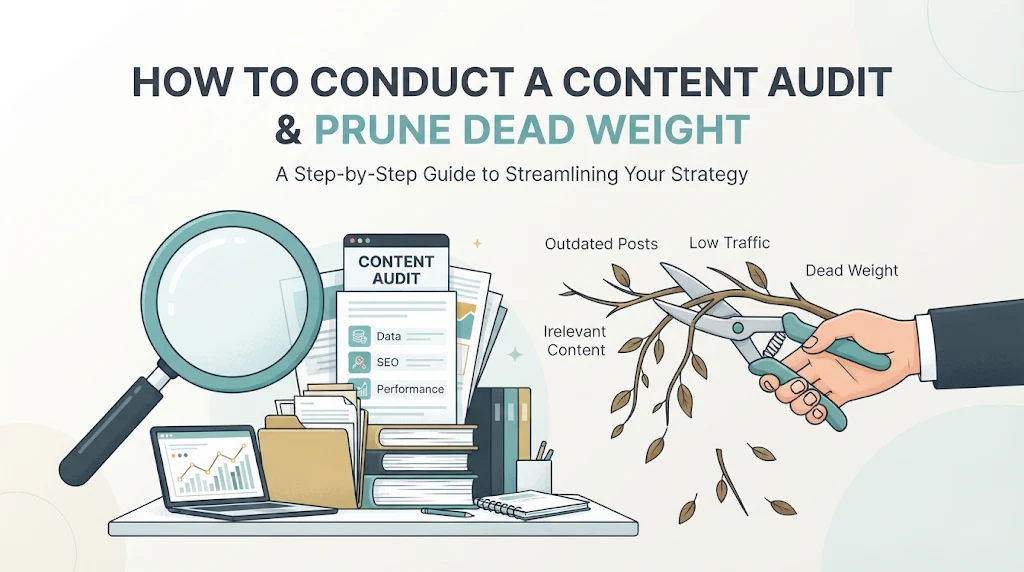
Think of your website like a high-performance orchard. If you never prune dead branches, the tree wastes water and nutrients trying to keep decaying wood alive instead of channeling energy into fruit-bearing limbs. In digital marketing, those dead branches are zombie pages—URLs that generate zero organic clicks, zero conversions, and zero backlinks, yet consume crawl budget, dilute internal link equity, and confuse search engine algorithms about your site’s true topical authority.
Even if your primary focus is High-ROI PPC & Media Buying, bloated site architecture directly impacts your bottom line. Forgotten campaign landing pages, expired seasonal promotions, and duplicative ad-group variants often remain indexed, cannibalizing your organic rankings and hurting landing page experience signals across your domain.
This guide breaks down the exact, step-by-step framework to audit your entire content inventory, classify every URL with surgical precision, and execute content pruning safely without losing a single drop of hard-earned SEO equity.
What Is Content Pruning and Why Does It Matter Now?
Content pruning is the systematic process of identifying, evaluating, and either updating, consolidating, or removing low-value pages from your website to improve overall domain health, search visibility, and conversion performance.
Modern search algorithms evaluate websites holistically. When a significant percentage of your indexed URLs fail to satisfy user intent—evidenced by low click-through rates, high pogo-sticking, and stale information—search engines assign lower domain-level quality scores. By removing or fixing the bottom 20% to 40% of your content, you raise the average quality score of every remaining page on your site.
Key Takeaway: Removing dead weight does not shrink your traffic—it concentrates your domain authority. Sites that prune low-performing URLs routinely see a 15% to 40% lift in organic traffic across their remaining core pages within 60 to 90 days.
The Hidden Costs of Content Bloat
Ignoring underperforming content creates four compounding problems across both organic search and paid acquisition channels:
-
Crawl Budget Exhaustion: Search engine crawlers allocate finite resources to your domain. When bots spend time crawling thousands of parameter URLs, expired PPC landing pages, and thin blog posts from five years ago, they discover and re-index your high-converting money pages much more slowly.
-
Keyword Cannibalization: Multiple mediocre articles targeting overlapping queries split your ranking signals. Instead of one authoritative page sitting in the top three results, three weak pages hover on page two.
-
Diluted Internal Link Equity: Every page in your navigation, footer, or category archive receives a slice of your site’s PageRank. Bloated archives spread that authority thin across pages that will never rank or convert.
-
Paid Media Quality & Funnel Leakage: Legacy PPC landing pages left unguarded in search results often feature outdated pricing, expired offers, or broken tracking pixels. Organic visitors stumble onto them, bounce immediately, and tarnish your brand credibility.
Step 1: Assemble Your Complete URL Inventory and Data Stack
You cannot audit what you cannot see. Before making a single editorial decision, you need a unified master spreadsheet containing every live URL on your domain alongside performance metrics from the last 12 months.
Essential Tools for Data Collection
To get a complete picture of how users and search engines interact with your pages, pull data from four distinct sources:
-
Technical Site Crawler (Screaming Frog or Sitebulb): Crawls your site architecture to extract status codes, indexability tags, word counts, title tags, H1s, canonical tags, internal inlinks, and crawl depth.
-
Google Search Console (GSC): Provides ground-truth organic search impressions, clicks, average CTR, and average position over the past 12 to 16 months.
-
Google Analytics 4 (GA4): Captures total sessions, engaged sessions, engagement rate, and—most importantly—conversion events and revenue attributed to each landing page across all channels (organic, paid search, social, email).
-
Backlink Intelligence Tool (Ahrefs, Semrush, or Moz): Identifies referring domains and total backlinks pointing to each URL so you never accidentally delete a page holding valuable external link equity.
Consolidating the Master Audit Sheet
Export your crawl data first, as it serves as your baseline list of live URLs. Then, use VLOOKUP or INDEX/MATCH (or a Python script if you are working with 10,000+ URLs) to merge GSC clicks, GSC impressions, GA4 sessions, GA4 conversions, and referring domains into a single row per URL.
Also export your XML sitemaps and compare them against your crawl list. You will frequently uncover “orphan pages”—URLs sitting in your CMS or receiving organic traffic that have zero internal links pointing to them.
Pro Tip: Always pull a full 12-month date range for GSC and GA4 data. A 30- or 90-day window will trick you into deleting seasonal pages—such as Black Friday PPC landing pages or tax-season guides—right before their peak traffic window arrives.
Step 2: Define Your Evaluation Metrics and Thresholds
Data without benchmarks creates analysis paralysis. Establish clear quantitative thresholds tailored to your business model before reviewing individual URLs. A high-ticket B2B SaaS company has very different traffic expectations than a high-volume affiliate publisher or e-commerce storefront.
The Core Decision Matrix
Evaluate every URL against five primary dimensions:
| Metric | Primary Question Answered | Red-Flag Threshold (Typical) |
| Organic Traffic (12 Mo) | Does search demand exist for this page? | Fewer than 10 organic clicks in 12 months |
| Search Impressions (12 Mo) | Does Google associate this page with relevant queries? | Fewer than 100 impressions in 12 months |
| Conversions / Assisted Value | Does this page drive pipeline, leads, or sales? | 0 conversions across all channels |
| Referring Domains | Do external websites vouch for this URL? | 0 referring domains (or only spam links) |
| Content Depth & Freshness | Is the information accurate, thorough, and current? | Outdated stats, thin copy (under 400 words), or obsolete product references |
Example: Applying Thresholds to a Hybrid Content + PPC Site
Imagine you manage an online platform running both aggressive paid acquisition campaigns and an editorial blog. During your audit, you discover 180 legacy landing pages created for past Facebook and Google Ads experiments.
-
Page A:
/promo/summer-sale-2023— 0 organic clicks, 0 conversions in the past 12 months, 0 backlinks, currently indexed. Verdict: Pure dead weight. -
Page B:
/guides/best-ppc-bidding-strategies— 45 organic clicks in 12 months, 18,000 impressions, 14 referring domains, published three years ago with outdated ad platform screenshots. Verdict: High-potential asset held back by content decay.
Without separating traffic metrics from backlink and impression data, Page B might be mistaken for a failure. With the matrix, it becomes an obvious priority for an editorial overhaul.
Step 3: Categorize Every URL Using the 4-Bucket Framework
Once your spreadsheet is populated and your thresholds are set, assign every single URL to one of four actionable buckets: Keep, Update, Consolidate, or Prune.
Bucket 1: Keep (Leave As-Is)
These are your high-performing pillars. They rank well, generate steady organic or paid conversions, attract natural backlinks, and remain factually accurate.
-
Criteria: Strong organic traffic, positive conversion rate, up-to-date information, and clear alignment with current business goals.
-
Action: Do not touch the URL slug, title tag, or core body copy. Monitor quarterly for decay and add internal links from these winners to high-priority pages that need a ranking boost.
Bucket 2: Update (Refresh & Optimize)
These pages have proven potential—they earn impressions, hold backlinks, or rank on pages two and three—but their performance has slipped due to aging information, shifting search intent, or thin coverage.
-
Criteria: High impressions with low CTR, positions 8–25 for valuable keywords, or solid historical traffic that has declined by more than 25% year-over-year.
-
Action: Rewrite outdated sections, replace obsolete statistics with current-year data, expand subtopics to match top-ranking competitors, improve formatting for featured snippets, and refresh the title tag to boost CTR.
Bucket 3: Consolidate (Merge & 301 Redirect)
This bucket solves keyword cannibalization and thin-content fragmentation. When you have three separate 600-word posts covering slight variations of the same topic, none of them possesses the depth required to dominate page one.
-
Criteria: Multiple URLs targeting the same primary keyword or user intent, overlapping topic clusters, or thin sub-pages that make more sense as sections within a comprehensive guide.
-
Action: Identify the strongest URL (the one with the best backlink profile, cleanest slug, and highest historical traffic) to serve as the master asset. Fold the unique insights from the secondary pages into the master page, publish the expanded guide, and implement permanent 301 redirects from the retired URLs to the master URL.
Bucket 4: Prune (Delete or Noindex)
This is where you cut true dead weight—pages that serve neither users nor search engines and cannot be salvaged through updates or merges.
-
Criteria: Zero organic traffic, zero impressions, zero conversions, zero quality backlinks, and irrelevant or obsolete subject matter (e.g., expired event announcements, discontinued product pages with no replacement, old PPC test variants).
-
Action: Permanently remove the page using a 410 Gone (or 404) status code, or apply a
noindex, followdirective if the page must remain live for internal users or paid ad traffic.
Pro Tip: Never apply a
noindextag to a page that you are also redirecting with a 301. Search engines need to crawl the redirected URL to pass link equity to the destination page; blocking it or marking itnoindexdisrupts that signal transfer.
Step 4: Execute the Pruning Process Without Breaking Your Site
The execution phase requires technical discipline. Sloppy redirects, broken internal links, and orphaned sitemaps can turn a promising audit into a temporary traffic dip. Follow this exact sequence to roll out changes cleanly.
1. Decide Between 301 Redirects, 410 Gone, and Noindex
Choosing the right HTTP status code or meta directive is critical for preserving domain authority:
-
Use a 301 Redirect when: The pruned URL has quality referring domains, still receives referral traffic, or has a close topical equivalent on your site where users will find what they need.
-
Use a 410 Gone (or 404 Not Found) when: The page has zero backlinks, zero traffic, and no relevant replacement page on your domain. A
410tells search engines the resource is permanently removed, prompting faster de-indexing than a standard404. -
Use
noindex, followwhen: The page serves a legitimate functional purpose for direct visitors—such as active PPC landing pages, internal search results, thank-you pages, or gated lead-magnet portals—but should never appear in organic search results.
2. Clean Up Internal Links and Navigation
Deleting or redirecting a URL while leaving dozens of internal links pointing to it forces both users and crawlers through unnecessary redirect hops or dead ends.
-
Run a crawl or database search to locate every internal anchor link pointing to your pruned or consolidated URLs.
-
Update links pointing to consolidated pages so they point directly to the new master URL.
-
Remove links pointing to
410/404pages from body copy, sidebars, category menus, and footers.
3. Update Your XML Sitemaps
Your XML sitemap should only contain canonical, indexable, 200-OK status URLs that you actively want search engines to rank. Once your redirects and deletions are live, regenerate your XML sitemap and resubmit it in Google Search Console so crawlers immediately recognize your streamlined site structure.
4. Monitor Post-Pruning Performance
Track your site closely over the next 30 to 90 days using three specific diagnostics:
-
GSC Coverage / Pages Report: Verify that pruned URLs are dropping out of the index and that redirect errors are not spiking.
-
Crawl Stats Report: Watch for an increase in crawl efficiency—you should see a higher proportion of crawl requests hitting your primary money pages and updated guides.
-
Rankings & Organic Conversions: Track keyword movement for your consolidated master pages and updated articles. Most sites experience minor ranking fluctuations during weeks one and two, followed by steady upward momentum from week four onward.
Common Pitfalls and Mistakes to Avoid
Even experienced marketers can sabotage a content audit by moving too fast or relying on incomplete metrics. Avoid these five costly errors:
-
Deleting Pages Based Solely on Organic Traffic: A page with zero organic clicks might be your highest-converting paid search landing page, a vital email nurture destination, or a page with 25 authoritative backlinks. Always cross-check GA4 conversions across all channels and referring domains before deleting any URL.
-
Redirecting Everything to the Homepage: Mass-redirecting deleted pages to your homepage is treated by search engines as a “soft 404.” It passes zero topical relevance and frustrates users who land on a generic page expecting specific information. If there is no close topical match, serve a clean
410status code instead. -
Creating Redirect Chains: If Page A redirects to Page B, and during a later audit you redirect Page B to Page C, you have created a redirect chain. Chains slow down page load speed and bleed link equity. Always update older redirects so they point directly to the final destination URL.
-
Ignoring Active PPC and Media Buying URLs: Before pruning or changing slugs on any landing page, check your active Google Ads, Meta Ads, LinkedIn, and affiliate tracking links. Deleting a live ad destination will immediately trigger disapproved ads and burn paid spend on 404 error screens.
-
Treating Content Audits as a One-Time Project: Content decay is continuous. Competitors publish new research, platform interfaces change, and product lines evolve. Schedule a lightweight quarterly check on your top 50 traffic-driving pages and run a comprehensive full-site audit every 6 to 12 months.
Frequently Asked Questions (FAQ)
How often should I conduct a content audit?
You should perform a comprehensive, full-site content audit once or twice a year (every 6 to 12 months), depending on your publishing velocity. For high-value revenue pages and top organic traffic drivers, conduct a targeted content decay review every quarter to catch ranking drops early.
Will deleting old pages hurt my website’s SEO?
No—when done correctly, deleting low-quality, zero-traffic pages improves your SEO. Removing unindexed or zero-click dead weight concentrates crawl budget on your best content, eliminates keyword cannibalization, and raises your site’s overall quality evaluation in search algorithms.
What is the difference between a 404 and a 410 status code when pruning content?
A 404 Not Found tells search engines that a page is currently missing, which causes crawlers to re-check the URL several times before eventually dropping it from the index. A 410 Gone explicitly signals that the page has been permanently removed on purpose, leading search engines to de-index the URL much faster.
Should I prune active PPC landing pages from Google search?
You should not delete active PPC landing pages, as doing so will break your ad campaigns. Instead, keep them live with a 200 OK status and add a noindex, follow meta robots tag so they convert paid visitors effectively without cluttering your organic search index or competing with your SEO pages.
How long does it take to see results after content pruning?
Most websites begin seeing measurable improvements in crawl efficiency and keyword rankings within 4 to 8 weeks after pruning and consolidating content, with full organic traffic gains typically stabilizing around the 90-day mark.
Conclusion: Build a Leaner, Higher-Converting Domain
A high-performing website is defined by the strength of its best pages, not the sheer volume of URLs sitting in its database. When you systematically audit your inventory, consolidate fragmented topics, refresh decaying winners, and prune genuine dead weight, every part of your marketing engine works harder—from faster search engine indexing to higher organic rankings and cleaner paid acquisition funnels.
Your Next Step: Open Google Search Console and your site crawler today, export your full list of live URLs alongside 12-month click, impression, and conversion data, and identify your bottom 10% of zero-traffic, zero-backlink pages. Pruning that first batch this week will immediately give your highest-value content the room it needs to climb.

I’m Md Nasir Uddin, a digital marketing consultant with over 9 years of experience helping businesses grow through strategic and data-driven marketing. As the founder of Macroter, my goal is to provide businesses with innovative solutions that lead to measurable results. Therefore, I’m passionate about staying ahead of industry trends and helping businesses thrive in the digital landscape. Let’s work together to take your marketing efforts to the next level.