
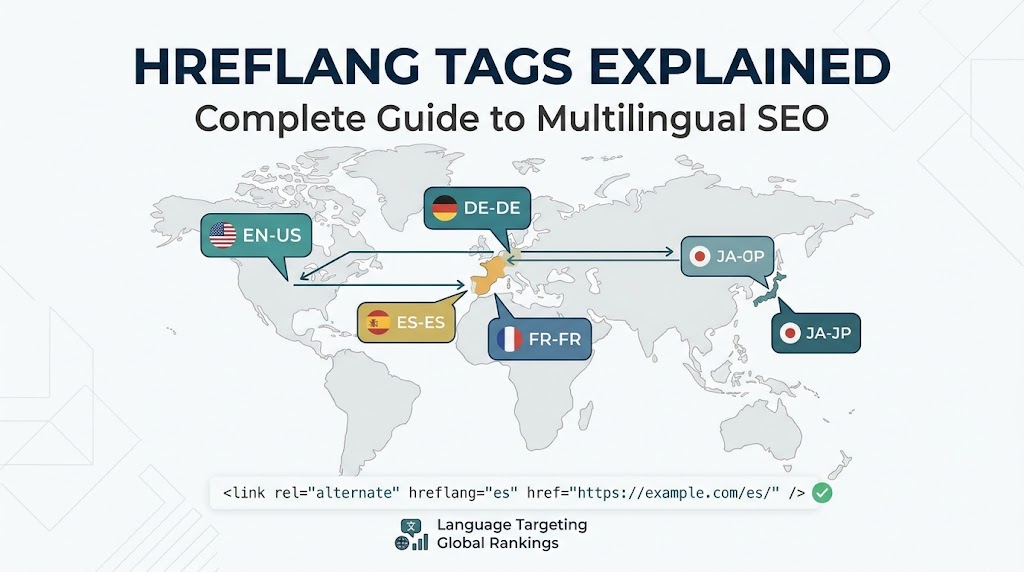
Publishing a website in multiple languages or tailoring regional content for different global markets is a major milestone for growing brands. However, creating localized content is only half the battle. If search engines cannot determine which version of a page to serve to a user in Berlin versus one in Boston or London, your global search visibility will crumble under the weight of duplicate content issues and misrouted traffic.
This is where hreflang tags become essential.
Introduced by Google in 2011, rel="alternate" hreflang="x" annotations serve as a critical technical signal for search engine crawlers. They explicitly define the language and geographical targeting of a page, ensuring that search engines serve the exact localized variant corresponding to a user’s language preferences and location.
Despite being a fundamental component of international SEO, hreflang implementation remains one of the most frequently misconfigured technical setups on the web. A single broken return link, invalid ISO language code, or conflicting canonical tag can render your entire multilingual setup invisible to search crawlers.
This definitive guide explains how hreflang tags work, breaks down implementation methods across HTML, HTTP headers, and XML sitemaps, outlines core syntax standards, and provides a step-by-step auditing framework to prevent costly indexing errors.
What Are Hreflang Tags and Why Are They Critical for Global SEO?
Hreflang is an HTML attribute used to specify the language and geographical targeting of a specific webpage. When a website offers content translated into multiple languages or localized for different regions using the same language (such as American English vs. British English), hreflang tags tell search engines which URL to display in local search results.
       ┌────────────────────────────────────────────────────────┐
       │               HREFLANG ROUTING ENGINE                  │
       └────────────────────────────────────────────────────────┘
                                   │
      ┌────────────────────────────┼────────────────────────────┐
      ▼                            ▼                            ▼
┌───────────┐                ┌───────────┐                ┌───────────┐
│ US USER   │                │ UK USER   │                │ GERMAN    │
│ (en-us)   │                │ (en-gb)   │                │ (de-de)   │
├───────────┤                ├───────────┤                ├───────────┤
│ Serves:   │                │ Serves:   │                │ Serves:   │
│ `/en-us/` │                │ `/en-gb/` │                │ `/de/`    │
└───────────┘                └───────────┘                └───────────┘
The Two Core Functions of Hreflang Tags
-
Eliminating Internal Duplicate Content: When targeting multiple countries that share a common language (e.g., Australia, the United States, and the United Kingdom), large portions of your page copy may be identical. Without
hreflang, search engines view these pages as duplicate content and choose one canonical version to index, filtering out the others.Hreflangsignals that these pages are intentional regional variants, preserving indexation for all versions. -
Optimizing User Experience and Bounce Rates: Directing a user in Spain to an English product page or sending a Mexican customer to a Spanish landing page listed in Euros causes immediate friction. Serving localized currency, cultural nuances, and native text improves conversion rates and reduces bounce rates.
| Scenario | Without Hreflang | With Hreflang Optimization |
| UK user searches for product | Sees US version (/en-us/) with USD pricing |
Sees native UK version (/en-gb/) with GBP pricing |
| Spanish user in US searches | Sees English version or generic homepage | Sees Spanish US targeted version (/es-us/) |
| Duplicate content evaluation | Search engine suppresses regional URLs as duplicates | Search engine indexes all regional variants cleanly |
Key Takeaway
Hreflang tags are not a ranking factor designed to boost authority directly; they are a directing signal that ensures the right localized page ranks for the right user in regional search results.
The Anatomy of a Hreflang Tag: Syntax and ISO Standards
Understanding the exact syntax requirements of hreflang is essential. A single character error in an ISO language or region code invalidates the entire annotation.
<!-- Anatomy of a Standard Hreflang Annotation -->
<link rel="alternate" hreflang="en-gb" href="https://www.example.com/uk/page/" />
Deconstructing the Code Elements:
-
rel="alternate": Signals to search engines that the URL specified in the tag is an alternative version of the current document. -
hreflang="en-gb": Specifies the target language and optional geographic region for the alternate page. -
href="[https://www.example.com/uk/page/](https://www.example.com/uk/page/)": Declares the absolute URL of the target alternate page.
┌──────────────────────────────────────────────────────────────────────────┐
│                     HREFLANG CODE BREAKDOWN                              │
└──────────────────────────────────────────────────────────────────────────┘
                                     │
                 ┌───────────────────┴───────────────────┐
                 ▼                                       ▼
    ┌─────────────────────────┐             ┌─────────────────────────┐
    │     LANGUAGE CODE       │             │      COUNTRY CODE       │
    │      (Mandatory)        │             │       (Optional)        │
    ├─────────────────────────┤             ├─────────────────────────┤
    │ ISO 639-1 Standard      │             │ ISO 3166-1 Alpha-2      │
    │ Example: "en", "es", "de"│            │ Example: "US", "GB", "MX"│
    └─────────────────────────┘             └─────────────────────────┘
Standardizing Language and Country Codes
Hreflang values must adhere strictly to international standards:
-
Language Code (Mandatory): Must follow the ISO 639-1 format (two-letter lowercase code, e.g.,
en,es,fr,de,zh,bn,hi). -
Country/Region Code (Optional): Must follow the ISO 3166-1 Alpha-2 format (two-letter lowercase or uppercase code, e.g.,
us,gb,ca,mx,de,bd).
Critical Distinction: You can declare a language code by itself (
hreflang="es"targets all Spanish speakers globally), but you cannot declare a country code by itself (hreflang="us"is invalid). The language must always precede the country identifier (e.g.,hreflang="en-us").
Common ISO Code Mistakes
| Target Market | Incorrect Syntax | Correct ISO Syntax | Explanation |
| United Kingdom | hreflang="en-uk" |
hreflang="en-gb" |
UK is not an ISO country code; GB is required |
| Spanish (Mexico) | hreflang="mx" |
hreflang="es-mx" |
Language code missing; country code cannot stand alone |
| Simplified Chinese | hreflang="zh-cn" |
hreflang="zh-hans" |
Script format (hans vs hant) preferred for Chinese dialects |
Three Mandatory Rules of Hreflang Implementation
Regardless of the technical deployment method you choose, every valid hreflang setup must strictly observe three non-negotiable architectural rules.
       ┌────────────────────────────────────────────────────────┐
       │             THE THREE GOLDEN RULES OF HREFLANG         │
       └────────────────────────────────────────────────────────┘
                                   │
      ┌────────────────────────────┼────────────────────────────┐
      ▼                            ▼                            ▼
┌───────────┐                ┌───────────┐                ┌───────────┐
│ RULE 1:   │                │ RULE 2:   │                │ RULE 3:   │
│ BIDIRECTION│               │ SELF-     │                │ `x-default`│
│ RECIPROCITY│               │ REFERENCING│               │ FALLBACK  │
├───────────┤                ├───────────┤                ├───────────┤
│ Return    │                │ Page must │                │ Fallback  │
│ links required│            │ point to  │                │ for unmatched│
│ across all│                │ itself in │                │ locations │
│ versions  │                │ mapping   │                │           │
└───────────┘                └───────────┘                └───────────┘
Rule 1: Bidirectional Reciprocity (Return Links)
Hreflang annotations work in pairs. If Page A links to Page B using hreflang, Page B must link back to Page A using an equivalent hreflang tag. If Page B does not return the link, search engines treat the relationship as unverified and ignore the tags completely.
Example: If
[https://example.com/en/](https://example.com/en/)includes<link rel="alternate" hreflang="fr" href="[https://example.com/fr/](https://example.com/fr/)" />, then[https://example.com/fr/](https://example.com/fr/)MUST contain<link rel="alternate" hreflang="en" href="[https://example.com/en/](https://example.com/en/)" />.
Rule 2: Self-Referencing Annotations
Every page that includes hreflang tags must include a self-referencing tag pointing directly to its own absolute URL.
Example: On
[https://example.com/en/](https://example.com/en/), the tag list must include<link rel="alternate" hreflang="en" href="[https://example.com/en/](https://example.com/en/)" />alongside all external language variants.
Rule 3: Declaring an x-default Fallback Page
The x-default annotation specifies a fallback page for users whose language or location preferences do not match any explicit hreflang tags defined on your site. It is also used to designate global language selection portals or un-localized landing pages.
<!-- Explicit x-default declaration for unmatched global visitors -->
<link rel="alternate" hreflang="x-default" href="https://www.example.com/global-selector/" />
Three Technical Deployment Methods: HTML, HTTP Headers, and XML Sitemaps
There are three ways to implement hreflang tags. You should choose one method and apply it consistently across your entire domain. Mixing methods introduces configuration conflicts.
┌──────────────────────────────────────────────────────────────────────────┐
│                   TECHNICAL DEPLOYMENT OPTIONS                           │
└──────────────────────────────────────────────────────────────────────────┘
                                     │
 ┌─────────────────────────┐         │         ┌───────────────────────────┐
 │   METHOD 1: HTML HEAD   │         │         │   METHOD 2: HTTP HEADERS  │
 │ (Best for small, static │─────────┼────────>│ (Mandatory for PDFs &     │
 │  web platforms)         │         │         │  non-HTML files)          │
 └─────────────────────────┘         │         └─────────────┬─────────────┘
                                     │                       │
                                     ▼                       ▼
                       ┌───────────────────────────┐
                       │ METHOD 3: XML SITEMAPS    │
                       │ (Best for Enterprise &    │
                       │  Large-Scale Sites)       │
                       └───────────────────────────┘
Method 1: HTML Element in the Document <head>
This traditional approach involves inserting <link> elements directly into the HTML <head> section of every localized document.
Implementation Code Snippet:
<!-- HTML <head> annotations for an English, French, and Spanish page set -->
<head>
  <title>Enterprise Cloud Infrastructure Solutions</title>
  <link rel="canonical" href="https://www.example.com/en-us/cloud/" />

  <!-- Hreflang Cluster -->
  <link rel="alternate" hreflang="en-us" href="https://www.example.com/en-us/cloud/" />
  <link rel="alternate" hreflang="en-gb" href="https://www.example.com/en-gb/cloud/" />
  <link rel="alternate" hreflang="fr-fr" href="https://www.example.com/fr-fr/cloud/" />
  <link rel="alternate" hreflang="es-es" href="https://www.example.com/es-es/cloud/" />
  <link rel="alternate" hreflang="x-default" href="https://www.example.com/cloud/" />
</head>
Pros and Cons
-
Pros: Simple to implement on smaller websites; easily verifiable via browser view-source options.
-
Cons: Increases page size and HTML byte count significantly on sites with 20+ language variants; requires modifying template code across every page.
Method 2: HTTP Response Headers
Because non-HTML documents (such as downloadable PDF catalogs, Word documents, or API endpoints) lack an HTML <head>, they cannot render HTML <link> tags. You can declare hreflang relationships for non-HTML files using HTTP response headers sent by your web server.
Implementation Code Snippet:
HTTP/1.1 200 OK
Content-Type: application/pdf
Link: <https://www.example.com/docs/catalog-en.pdf>; rel="alternate"; hreflang="en",
      <https://www.example.com/docs/catalog-fr.pdf>; rel="alternate"; hreflang="fr",
      <https://www.example.com/docs/catalog-es.pdf>; rel="alternate"; hreflang="es",
      <https://www.example.com/docs/catalog.pdf>; rel="alternate"; hreflang="x-default"
Pros and Cons
-
Pros: The only viable solution for indexing non-HTML media and downloadable documents across international markets.
-
Cons: Harder to debug and configure; can increase HTTP response header overhead if hundreds of relationships are included.
Method 3: XML Sitemaps (Recommended for Enterprise Scale)
For enterprise applications, e-commerce stores, or large publications managing thousands of pages in multiple languages, managing hreflang via XML Sitemaps is the cleanest and most scalable approach.
Instead of modifying HTML templates or server response headers, all regional relationship mappings are declared centrally inside your XML sitemap files using the xhtml:link namespace.
Implementation Code Snippet:
<?xml version="1.0" encoding="UTF-8"?>
<urlset xmlns="http://www.sitemaps.org/schemas/sitemap/0.9"
        xmlns:xhtml="http://www.w3.org/1999/xhtml">
  <url>
    <loc>https://www.example.com/en-us/product-a/</loc>
    <xhtml:link rel="alternate" hreflang="en-us" href="https://www.example.com/en-us/product-a/" />
    <xhtml:link rel="alternate" hreflang="en-gb" href="https://www.example.com/en-gb/product-a/" />
    <xhtml:link rel="alternate" hreflang="fr-fr" href="https://www.example.com/fr-fr/product-a/" />
    <xhtml:link rel="alternate" hreflang="x-default" href="https://www.example.com/global/product-a/" />
  </url>
  <url>
    <loc>https://www.example.com/en-gb/product-a/</loc>
    <xhtml:link rel="alternate" hreflang="en-us" href="https://www.example.com/en-us/product-a/" />
    <xhtml:link rel="alternate" hreflang="en-gb" href="https://www.example.com/en-gb/product-a/" />
    <xhtml:link rel="alternate" hreflang="fr-fr" href="https://www.example.com/fr-fr/product-a/" />
    <xhtml:link rel="alternate" hreflang="x-default" href="https://www.example.com/global/product-a/" />
  </url>
</urlset>
Pros and Cons
-
Pros: Zero impact on page load speed or HTML byte size; centralized code management; simpler to maintain via backend deployment scripts.
-
Cons: Creates large XML sitemap files that require proper splitting across sitemap index files.
Combining Hreflang with Canonical Tags
A common source of confusion in technical SEO is how hreflang annotations interact with rel="canonical" tags.
The Golden Rule of Canonicals and Hreflang
Each language and regional variant must have a self-referencing canonical tag that points to itself.
┌──────────────────────────────────────────────────────────────────────────┐
│                   CANONICAL VS HREFLANG ARCHITECTURE                     │
└──────────────────────────────────────────────────────────────────────────┘
                                     │
 ┌─────────────────────────┐         │         ┌───────────────────────────┐
 │   US ENGLISH VARIANT    │         │         │   UK ENGLISH VARIANT      │
 ├─────────────────────────┤         │         ├─────────────────────────┤
 │ Canonical: `/en-us/`    │─────────┼────────>│ Canonical: `/en-gb/`    │
 │ Hreflang: Points to     │         │         │ Hreflang: Points to     │
 │ `/en-us/` AND `/en-gb/` │         │         │ `/en-us/` AND `/en-gb/` │
 └─────────────────────────┘         │         └─────────────────────────┘
Never point the canonical tag of a localized page (e.g., [example.com/en-gb/](https://example.com/en-gb/)) to the primary language default (e.g., [example.com/en-us/](https://example.com/en-us/)). If you canonicalize the UK version to the US version, you tell search engines that the UK page is duplicate content and should not be indexed, which neutralizes your hreflang tags.
<!-- Correct setup on https://www.example.com/en-gb/product/ -->
<link rel="canonical" href="https://www.example.com/en-gb/product/" />
<link rel="alternate" hreflang="en-us" href="https://www.example.com/en-us/product/" />
<link rel="alternate" hreflang="en-gb" href="https://www.example.com/en-gb/product/" />
Common Hreflang Implementation Mistakes to Avoid
Even experienced web engineering teams make critical errors when implementing hreflang at scale. Avoid these six common technical mistakes:
1. Missing Reciprocal Return Links
-
The Mistake: Page A links to Page B via
hreflang, but Page B does not link back to Page A. -
The Consequence: Search engines reject the entire
hreflangrelationship cluster as unverified.
2. Using Non-Indexable or Blocked URLs
-
The Mistake: Including URLs in your
hreflangcluster that return HTTP 404, 301 redirects, or containnoindexdirectives orrobots.txtdisallow rules. -
The Consequence: Search engines cannot crawl non-200 HTTP response codes.
Hreflangtags must point exclusively to canonical, HTTP 200, indexable URLs.
3. Using Relative Instead of Absolute URLs
-
The Mistake: Declaring paths relative to the host root (e.g.,
<link rel="alternate" hreflang="fr" href="/fr/page/" />). -
The Consequence:
Hreflangannotations require fully qualified absolute URLs including the transport protocol (e.g.,[https://www.example.com/fr/page/](https://www.example.com/fr/page/)).
4. Invalid Country or Language Codes
-
The Mistake: Inventing custom codes or using incorrect ISO formats (such as using
en-ukinstead ofen-gbor using country codes without specifying a language). -
The Consequence: Search engines fail to parse the tag and drop the regional targeting rules entirely.
5. Conflicting Canonical Tags
-
The Mistake: Setting localized language variations to canonicalize back to a single default homepage or main language directory.
-
The Consequence: Search engine crawlers follow the canonical instruction and de-index the localized pages, breaking the
hreflangcluster.
6. Mixing Deployment Methods
-
The Mistake: Declaring
hreflangtags in HTML<head>tags while simultaneously maintaining conflicting XML sitemap mappings. -
The Consequence: Conflicting instructions create crawl ambiguity, leading search bots to ignore both datasets.
How to Audit and Debug Hreflang Errors
Maintaining valid hreflang clusters requires routine auditing across deployment pipelines and staging environments.
       ┌────────────────────────────────────────────────────────┐
       │             HREFLANG AUDIT WORKFLOW                    │
       └────────────────────────────────────────────────────────┘
                                   │
      ┌────────────────────────────┼────────────────────────────┐
      ▼                            ▼                            ▼
┌───────────┐                ┌───────────┐                ┌───────────┐
│ CRAWL SITE│                │ PARSE RETURN│              │ VERIFY    │
│ (Screaming│                │ LINK ERRORS│               │ SEARCH    │
│  Frog/Lumar)               │           │                │ CONSOLE   │
├───────────┤                ├───────────┤                ├───────────┤
│ Crawl     │                │ Export    │                │ Review    │
│ full      │                │ missing   │                │ Page      │
│ site      │                │ reciprocal│                │ Indexing  │
│ footprint │                │ links     │                │ reports   │
└───────────┘                └───────────┘                └───────────┘
Step-by-Step Debugging Framework
-
Execute a Full Site Crawl: Use technical audit tools like Screaming Frog, Lumar, or DeepCrawl with
hreflangparsing enabled. -
Audit Return Link Errors: Filter crawl reports specifically for missing return links (
No Return Tag), un-linkedx-defaulttags, or non-200 HTTP status targets. -
Verify ISO Code Validity: Run automated regex validation across all output codes to ensure compliance with ISO 639-1 and ISO 3166-1 Alpha-2 standards.
-
Inspect Google Search Console: Review your Google Search Console coverage and indexing reports to confirm that regional variants are indexed cleanly without being flagged as duplicate content.
Frequently Asked Questions (FAQ)
Does hreflang pass PageRank or domain authority between localized pages?
No. Hreflang annotations do not pass PageRank or link equity between URLs directly. However, they help search engines understand that a group of pages are regional variants, allowing them to share contextual relevance signals and route search traffic to the correct regional URL.
Can I use hreflang for different countries that speak the same language?
Yes. This is one of the primary use cases for hreflang. For example, you can target English speakers in the US (en-us), UK (en-gb), Australia (en-au), and Canada (en-ca) with separate URLs tailored to local currencies, shipping terms, and regional spelling conventions.
Is hreflang mandatory for single-language websites?
No. If your website operates in a single language and does not target specific geographical regions with separate URL variants, you do not need to use hreflang tags. Standard canonical tags are sufficient.
How long does it take for Google to process hreflang changes?
Google processes hreflang updates as it re-crawls and re-indexes the URLs within your cluster. Depending on your site’s crawl frequency and sitemap submission updates, changes typically take anywhere from a few days to several weeks to reflect in international search results.
Conclusion: Master International Search Visibility
Hreflang tags are a foundational requirement for any website expanding into multilingual or multi-regional search markets.
By defining your target audience using valid ISO language and region codes, ensuring strict bidirectional reciprocity, maintaining self-referencing canonicals, and deploying mappings cleanly via XML sitemaps or HTML headers, you can ensure search engines deliver your content to the right global audiences.

I’m Md Nasir Uddin, a digital marketing consultant with over 9 years of experience helping businesses grow through strategic and data-driven marketing. As the founder of Macroter, my goal is to provide businesses with innovative solutions that lead to measurable results. Therefore, I’m passionate about staying ahead of industry trends and helping businesses thrive in the digital landscape. Let’s work together to take your marketing efforts to the next level.