
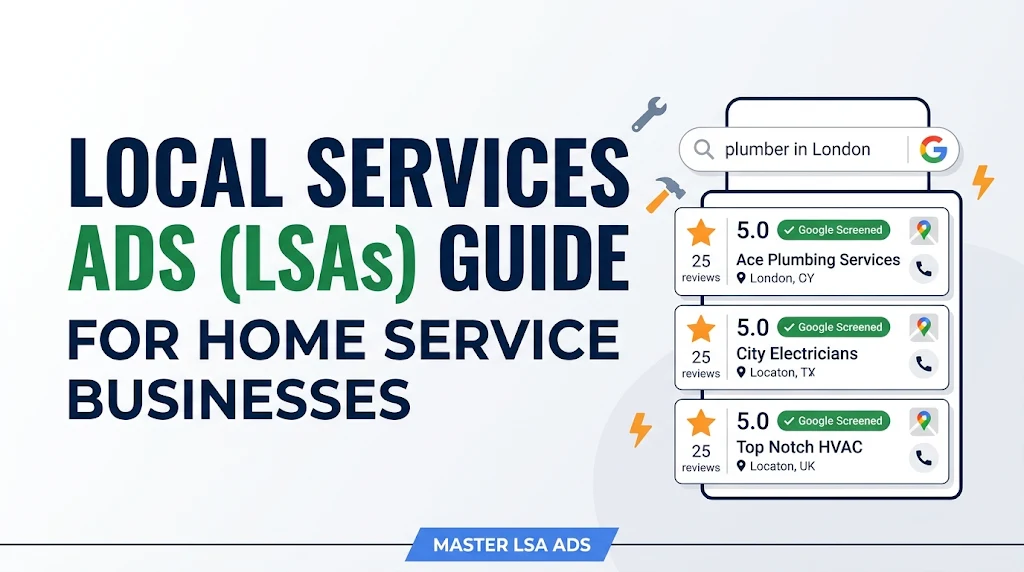
For home service business owners, local advertising has evolved dramatically. The days of relying strictly on traditional pay-per-click (PPC) campaigns—where you pay for every single click regardless of whether the prospect calls—are rapidly fading.
Enter Google Local Services Ads (LSAs).
Positioned above traditional Google Search Ads and the standard local map pack, LSAs operate on a fundamentally different financial model: Pay-Per-Lead (PPL). Instead of paying for website visits from window shoppers, you only pay when a qualified potential customer contacts your business directly through the ad via phone call or direct message.
Whether you run a plumbing enterprise, an HVAC company, an electrical contracting business, or a roofing company, mastering Local Services Ads is one of the highest-ROI media buying strategies available today. This comprehensive guide breaks down how LSAs work, how to navigate the Google Guarantee verification process, and how to optimize your ad spend for maximum profitability.
What Are Local Services Ads and Why Do They Matter?
Local Services Ads are unit-based ad formats designed specifically to connect local consumers with vetted service professionals. Unlike traditional Search Ads that redirect users to a landing page, LSAs present core business information directly on the Search Engine Results Page (SERP).
+-----------------------------------------------------------------------+
|                       GOOGLE SEARCH RESULTS PAGE                      |
+-----------------------------------------------------------------------+
| [TOP OF PAGE]                                                         |
|  +-----------------------+ +-----------------------+ +--------------+ |
|  | Google Guaranteed     | | Google Guaranteed     | | Google...    | |
|  | Apex Plumbing Co.     | | ProCraft Electric     | | ...          | |
|  | 5.0 ★★★★★ (142)      | | 4.9 ★★★★★ (98)       | |              | |
|  | Phone: (555) 019-2831 | | Phone: (555) 014-9922 | |              | |
|  +-----------------------+ +-----------------------+ +--------------+ |
+-----------------------------------------------------------------------+
| [TRADITIONAL PPC ADS]                                                 |
|  Headline: Best Plumber Near You | 24/7 Emergency Service             |
|  www.example.com/plumbing                                             |
+-----------------------------------------------------------------------+
| [LOCAL 3-PACK / MAPS]                                                 |
|  1. Citywide Plumbing                                                 |
|  2. Precision Electrical                                              |
+-----------------------------------------------------------------------+
| [ORGANIC SEARCH RESULTS]                                              |
+-----------------------------------------------------------------------+
When a prospective customer searches for “emergency plumber near me” or “roof repair contractor,” LSA units appear at the absolute top of the screen.
Traditional Google Ads (PPC) vs. Local Services Ads (PPL)
Understanding the distinction between these two media buying channels is essential for allocating your marketing budget efficiently:
| Feature | Traditional Google Ads (PPC) | Google Local Services Ads (LSA) |
| Payment Model | Pay Per Click (PPC) | Pay Per Lead (PPL) |
| SERP Placement | Below LSAs, above organic results | Top of the entire SERP |
| Trust Badge | None | Google Guaranteed / Google Screened |
| Destination | External Landing Page or Website | Direct Phone Call or Message |
| Targeting | Keywords & Match Types | Zip Codes & Specific Service Categories |
| Dispute Capability | Rare / Limited to invalid clicks | Native dispute system for invalid leads |
Key Takeaway: Traditional PPC forces you to pay for traffic and assumes your landing page will convert the visitor. LSAs remove the landing page barrier entirely, placing the burden of lead generation directly on the SERP interface.
The Google Guarantee vs. Google Screened
When setting up your LSAs, your business will earn one of two trust badges based on your industry sector:
1. The Google Guarantee
Designed primarily for home service providers (plumbers, HVAC technicians, electricians, locksmiths, roofers, cleaners).
-
The Badge: A green circle featuring a white checkmark alongside the label “Google Guaranteed.”
-
Consumer Protection: Google backstops your work quality. If a customer is unsatisfied with work booked through an LSA, Google may, at its sole discretion, reimburse the customer up to the lifetime coverage limit (typically $2,000 in North America).
2. The Google Screened
Designed for professional services (lawyers, real estate agents, financial planners, child care providers).
-
The Badge: A green checkmark badge indicating that the business has passed Google’s identity and licensure checks.
-
Consumer Protection: Does not include a monetary financial reimbursement guarantee, but acts as a strong trust signal for high-consideration services.
Step-by-Step Setup and Google Verification Process
Getting your LSAs live requires passing Google’s background and verification checks. This setup phase ensures that low-quality operators cannot flood the platform.
+-------------------+     +--------------------+     +---------------------+     +------------------+
| 1. Check Service  | --> | 2. Complete Profile| --> | 3. Submit Background| --> | 4. Budget & Bid  |
|    & Zip Eligibility|   |    & Categories    |     |    Checks & License |     |    Configuration |
+-------------------+     +--------------------+     +---------------------+     +------------------+
Step 1: Check Eligibility & Create Profile
Navigate to the Google Local Services Ads portal. Enter your business name, primary service sector, and primary ZIP code to confirm coverage in your geographic market.
Step 2: Define Service Areas & Specific Job Types
Be precise when selecting your service areas. Select exact ZIP codes or cities rather than drawing overly broad radii. Next, check off only the specific job types your company handles.
Pro Tip: If your plumbing business does not handle sewer main replacements, uncheck that subcategory immediately. Accepting lead types you do not fulfill leads to wasted spend and lower conversion rates.
Step 3: Clear Background Checks & Submit Documentation
Google partners with third-party verification firms (such as Evident or Pinkerton) to screen your business:
-
Business Entity Verification: Submitting state registration and tax ID details.
-
Insurance Verification: Providing a Certificate of Insurance (COI) listing general liability coverage with minimum limits (typically $250,000–$1,000,000 depending on region and trade).
-
Owner & Field Employee Background Checks: Background screening for business owners and any field technicians entering residential properties.
-
Trade Licensure: Proof of valid state, provincial, or local trade licenses.
Step 4: Configure Budget and Bidding Strategy
Set your maximum weekly budget. LSAs operate on a flexible weekly spend target. You can adjust this number up or down at any time based on seasonal demand or your technicians’ schedule availability.
Advanced Bidding and Lead Generation Strategies
Once your business profile is verified, you enter the auction environment. Google relies on an internal algorithm to determine which three businesses appear in the primary LSA preview box.
Understanding the LSA Ranking Algorithm
Google does not rank LSAs purely on who sets the highest bid. The placement algorithm weights several distinct factors:
-
Verification Status and Proximity: Passing all verification checks and maintaining a physical presence relative to the searcher’s location.
-
Review Score and Quantity: Your overall star rating on Google Business Profile, alongside the frequency of incoming reviews.
-
Response Rate and Speed: How quickly and consistently your team answers incoming phone calls or responds to message leads.
-
Bidding Strategy: Maximum bid per lead versus automated bidding.
-
Business Hours: Whether your profile lists you as open and available at the exact moment of the search.
                  +-----------------------------------+
                  |  LSA Ranking Weight Components    |
                  +-----------------------------------+
                                    |
     +------------------+-----------+-----------+-------------------+
     |                  |                       |                   |
     v                  v                       v                   v
+------------+   +--------------+      +------------------+   +-------------------+
| Review     |   | Response     |      | Proximity to     |   | Bidding Strategy  |
| Rating &   |   | Speed & Rate |      | Consumer Search  |   | & Budget Cap      |
| Volume     |   |              |      |                  |   |                   |
+------------+   +--------------+      +------------------+   +-------------------+
Bidding Options: Maximize Leads vs. Max Bid
-
Maximize Leads (Automated Bidding): Google sets your bid dynamically to secure the highest volume of leads within your specified weekly budget. This strategy works well for businesses looking to scale quickly without manual oversight.
-
Set Max Bid (Manual Bidding): You specify the maximum dollar amount you are willing to pay for a single lead in your category. Use this option in highly competitive metropolitan markets where manual cost control is required.
Example: An HVAC operator during a summer heatwave might switch to Maximize Leads to capture as much surge demand as possible, whereas during shoulder seasons, they might use Max Bid to control lead costs.
Managing and Disputing Leads to Protect ROI
One of the greatest advantages of LSAs is the ability to request credits for unqualified leads. Because you pay per lead, Google provides a mechanism to dispute charges that fall outside legitimate criteria.
Valid vs. Invalid Leads
+---------------------------------------+---------------------------------------+
|  VALID LEADS (Chargeable)             |  INVALID LEADS (Eligible for Dispute) |
+---------------------------------------+---------------------------------------+
| • Customer calls to request a service | • Caller wants a service you don't    |
|   you explicitly offer in your zip.   |   offer (and unchecked in setup).     |
| • Customer leaves a voicemail or book | • Wrong number / Wrong business.      |
|   request for an estimate.            | • Spam, automated bot, or telemarketer|
| • Customer calls to follow up on a    | • Location outside your selected ZIPs.|
|   previously placed request.          | • Job seeker calling for employment.  |
+---------------------------------------+---------------------------------------+
Best Practices for Disputing Invalid Leads
-
Listen to Call Recordings Regularly: Review incoming calls directly inside the LSA Dashboard or your call tracking software.
-
Dispute Promptly: Submit dispute requests through your Lead Inbox within Google’s eligible timeframe.
-
Provide Detailed Context: Select the precise reason for the dispute (e.g., “Service Not Offered” or “Wrong Geography”) and provide short, clear notes.
Pro Tip: Never dispute a lead simply because you failed to close the sale. Google reviews call recordings; disputing legitimate calls that resulted in lost sales can negatively impact your account trust score.
5 Critical Pitfalls to Avoid
Even seasoned digital marketers make mistakes when running LSAs for home services. Avoid these frequent errors to keep your cost-per-lead low:
-
Missing Calls or Slow Response Times: If an incoming LSA call goes to voicemail repeatedly, Google’s algorithm will lower your ad visibility to protect consumer experience.
-
Broad Service Selection Errors: Checking services you do not offer leads to invalid calls, wasted time, and unnecessary dispute requests.
-
Ignoring Reviews: Failing to request reviews from completed LSA jobs reduces your social proof against competitors.
-
Setting Static Hours: Listing your business as “Closed” on weekends means your ads will drop below competitors who maintain open hours or 24/7 answering services.
-
Set-and-Forget Campaign Management: Neglecting weekly management, call logs, and budget adjustments limits performance optimization.
Frequently Asked Questions (FAQs)
What is the average cost per lead for Google Local Services Ads?
Costs vary significantly based on industry trade, competition, and geographic location. Niche trades in smaller markets may see leads between $20 and $45, while competitive emergency services (such as water damage restoration or roofing) in major metro areas can range from $75 to $200+ per lead.
How do Google Business Profile reviews affect my LSAs?
Your Google Business Profile reviews feed directly into your LSA rating. A high star rating (typically 4.7+ stars) combined with a steady stream of recent positive reviews improves your ad positioning in the top three visible LSA slots.
Can I run Google Search Ads and Local Services Ads simultaneously?
Yes. Running both Google Search Ads (PPC) and Local Services Ads (PPL) alongside a strong organic local map listing gives your home service business maximum real estate on the first page of Google.
How long does the Google Guarantee verification process take?
The verification process typically takes anywhere from two to four weeks. Delays usually occur during employee background checks or when submitting outdated trade licenses and insurance certificates. Ensure all documentation is current before starting.

I’m Md Nasir Uddin, a digital marketing consultant with over 9 years of experience helping businesses grow through strategic and data-driven marketing. As the founder of Macroter, my goal is to provide businesses with innovative solutions that lead to measurable results. Therefore, I’m passionate about staying ahead of industry trends and helping businesses thrive in the digital landscape. Let’s work together to take your marketing efforts to the next level.